


How to Change Hostname Ubuntu / Debian / CentOS / Windows
What is a Hostname?
A hostname is the unique name assigned to your server, allowing it to be identified on a network. For example:
- webserver-01
- mail-server
Changing the hostname can help you:
- Organize servers by role (e.g., database-server, app-server)
- Easily identify servers in multi-server environments
- Follow company naming conventions
Steps to Change Hostname in Windows
Step 1: Open System Settings
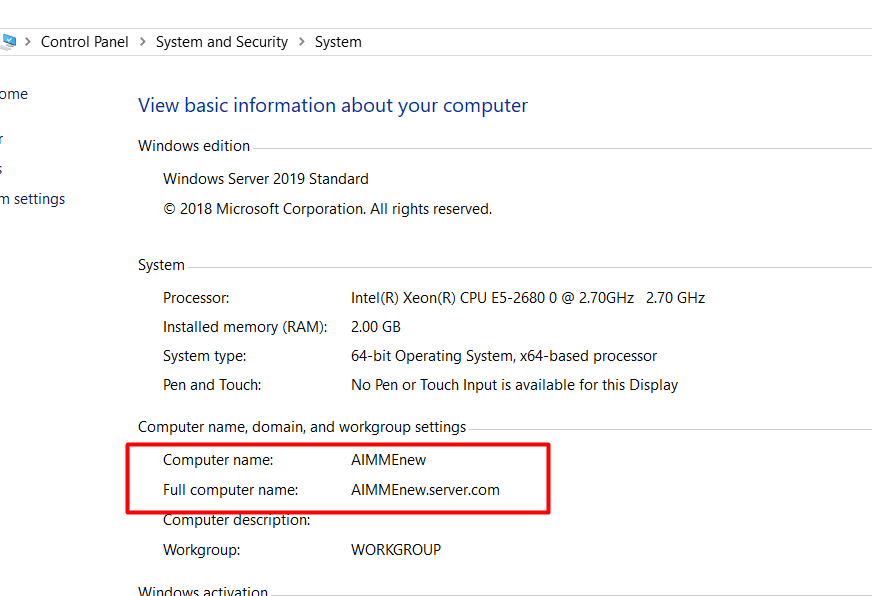
- Go to Control Panel → System and Security → System.
- Under Computer name, domain, and workgroup settings, click Change settings.
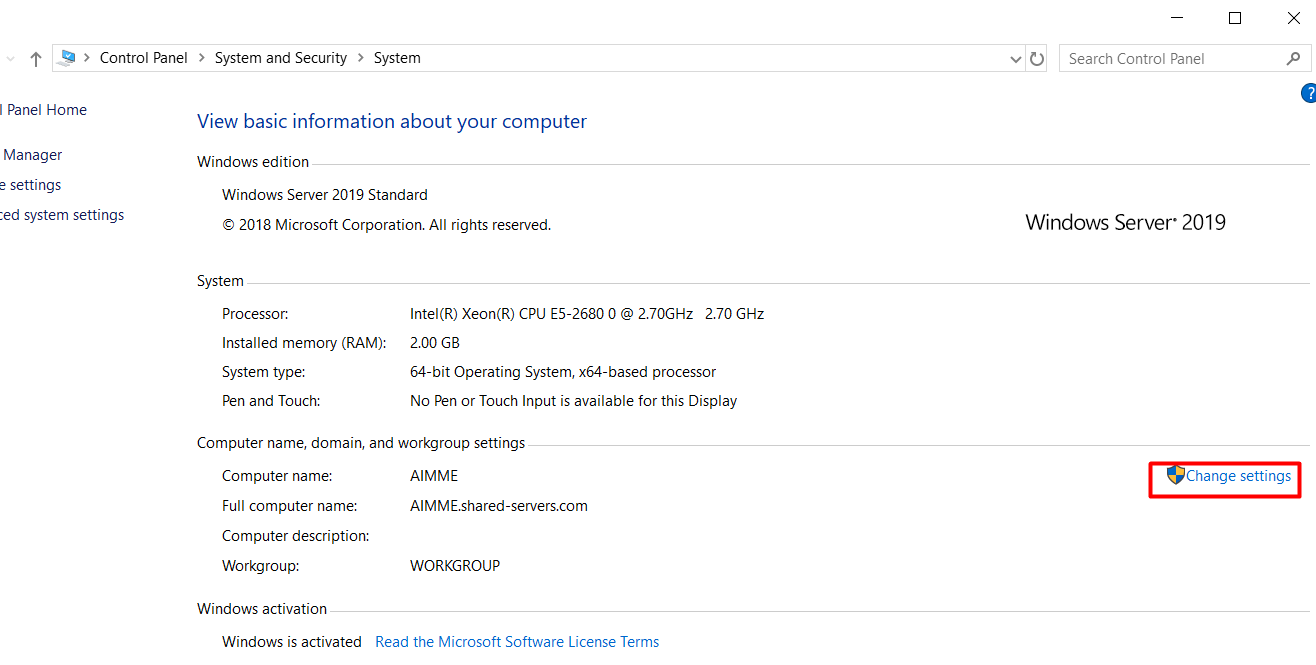
Step 2: Rename the Server
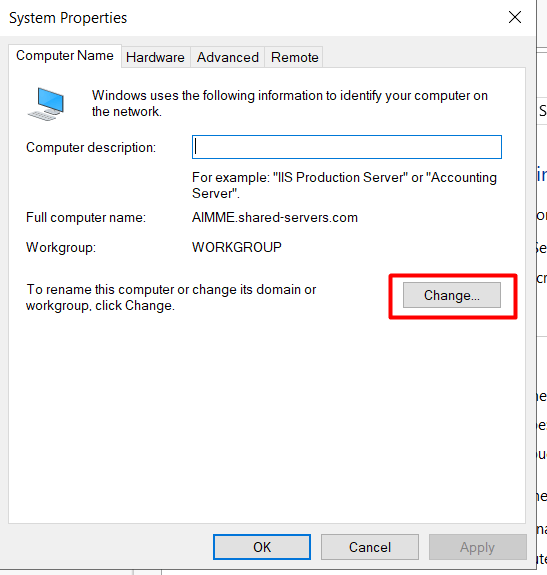
- In the System Properties window, click Change.
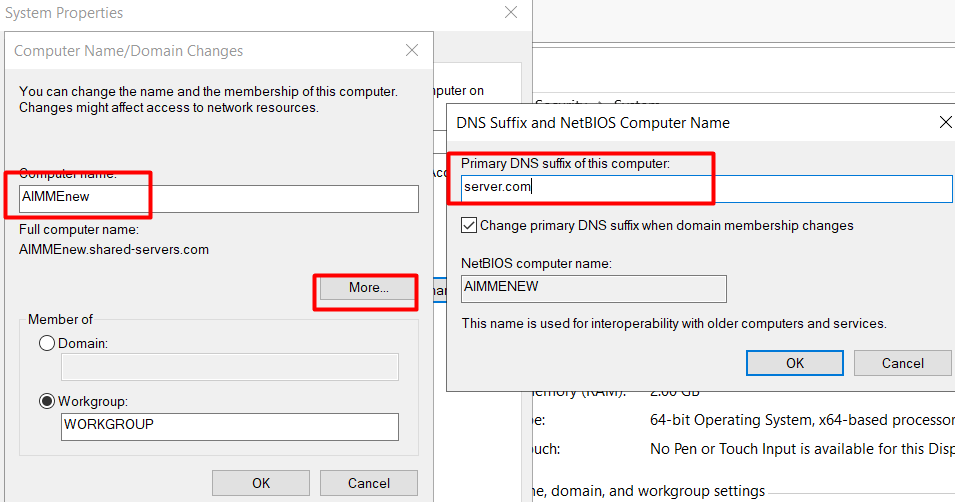
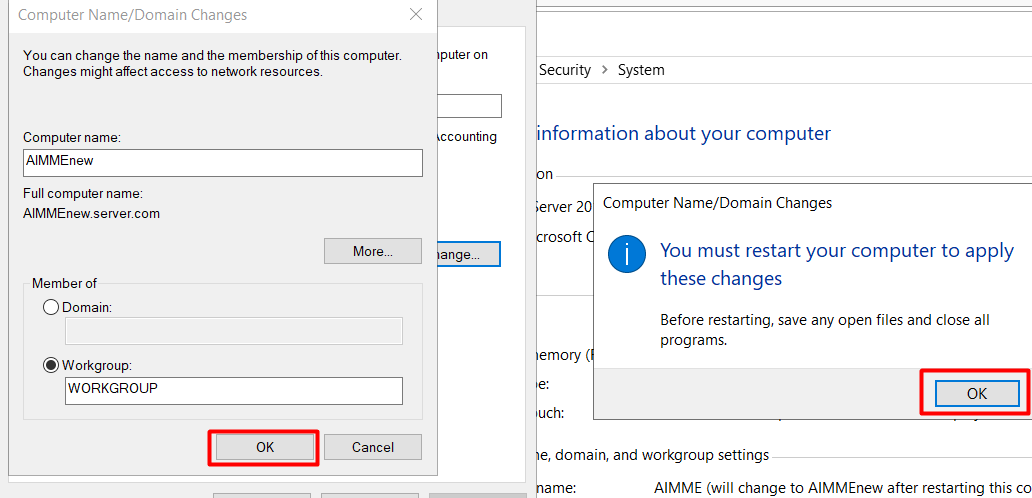
- Enter your new server name and click OK.
Step 3: Restart the Server
- You will be prompted to restart the server for changes to take effect.
- After restarting, your Windows Server hostname will be updated.
Related keywords:Change hostname Windows Server,Windows server rename.
Steps to Change Hostname in Linux
The easiest way to rename your Linux server is by using the hostnamectl command. The process differs slightly depending on your Linux distribution.
For CentOS 7 / 8 OS
To change the hostname in CentOS 7 or CentOS 8, use:
sudo hostnamectl set-hostname new-server-name
Then verify:
hostnamectlKeywords: CentOS rename hostname, change hostname CentOS 7, CentOS 7 hostname change, CentOS 7 set hostname, change hostname CentOS 8.
For Ubuntu 20.04 / 22.04 OS
For the Ubuntu server, first gain root privileges:
sudo -iThen run:
hostnamectl set-hostname new-server-nameVerify:
hostnamectlKeywords: change hostname ubuntu, change hostname ubuntu terminal, change hostname ubuntu 20.04, change hostname ubuntu 22.04, how to change hostname in ubuntu 22.04.
For Debian OS
For a Debian server, the steps are similar to Ubuntu:
sudo -i
hostnamectl set-hostname new-server-name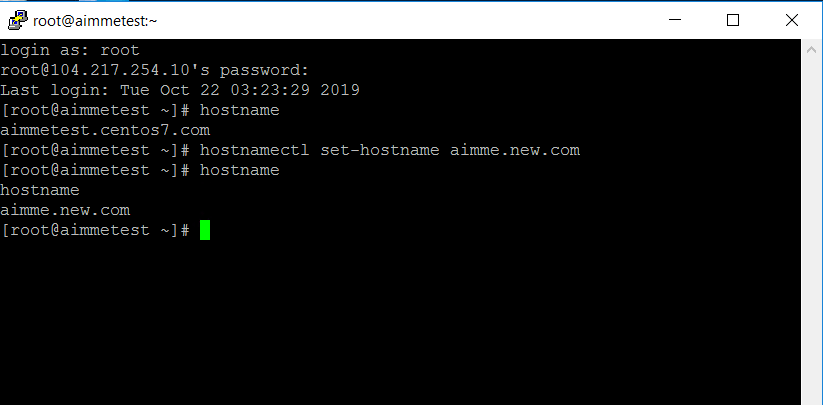
Keywords: change hostname Debian, Linux command to change hostname, Linux set hostname.
Final Tips
- Always use lowercase letters and hyphens in hostnames (avoid spaces).
- After changing the hostname, some services may need to be restarted.
- For cloud servers, also check your provider’s control panel — some override hostname settings on reboot.