


How to Fix IP Abuse Issues from Attack or Port Scan
Introduction
When your hosting provider reports IP abuse related to your server, it usually means your server has been flagged for malicious activity such as port scanning, hacking attempts, or abuse of services. This guide will walk you through step-by-step actions — from performing an IP abuse check to securing and reloading your server if necessary.
Why Fixing IP Abuse Quickly is Important
An abuse IP address alert means that your server’s IP has been reported for suspicious activity. If ignored, this could result in your server being blacklisted, your website going offline, or even suspension of your hosting account. Therefore, understanding how to check abuse IP and stop the root cause is crucial.
Steps to Guide to Solve IP Abuse Issues
Step 1: Check if Linux Server is Hacked
Before solving the problem, you need to confirm whether your server has been compromised.
- Follow our detailed guide: [How to Check if a Linux Server is Hacked].
- Remove hacked files, suspicious processes, unauthorized users, and unknown software immediately.
This helps reduce the chances of repeated abuse flagged in future abuse IP checks.
Step 2: Check for Installed Port Scanning Software
Sometimes IP abuse check reports are triggered by port scanning software installed on the server.
2.1 Common port scanning tools
- Nmap
- Unicornscan
- Zenmap
- ipscan
- Netcat
- Knocker
- pnscan
- nast
2.2 Run Abuse IP Check on Installed Packages
Run the following commands to check if any of the above tools are installed:
- On CentOS:
rpm -qa | grep -iE "Nmap|Unicornscan|Zenmap|ipscan|Netcat|Knocker|pnscan|nast"- On Ubuntu:
dpkg -l | grep -iE "Nmap|Unicornscan|Zenmap|ipscan|Netcat|Knocker|pnscan|nast"2.3 Remove Detected Port Scanning Software
If your abuse IP lookup confirms malicious packages, uninstall them:
- For CentOS:
yum remove package_name- For Ubuntu:
apt-get remove package_nameExample: Removing nmap-6.40-19.el7.x86 package:
yum remove nmap-6.40-19.el7.x86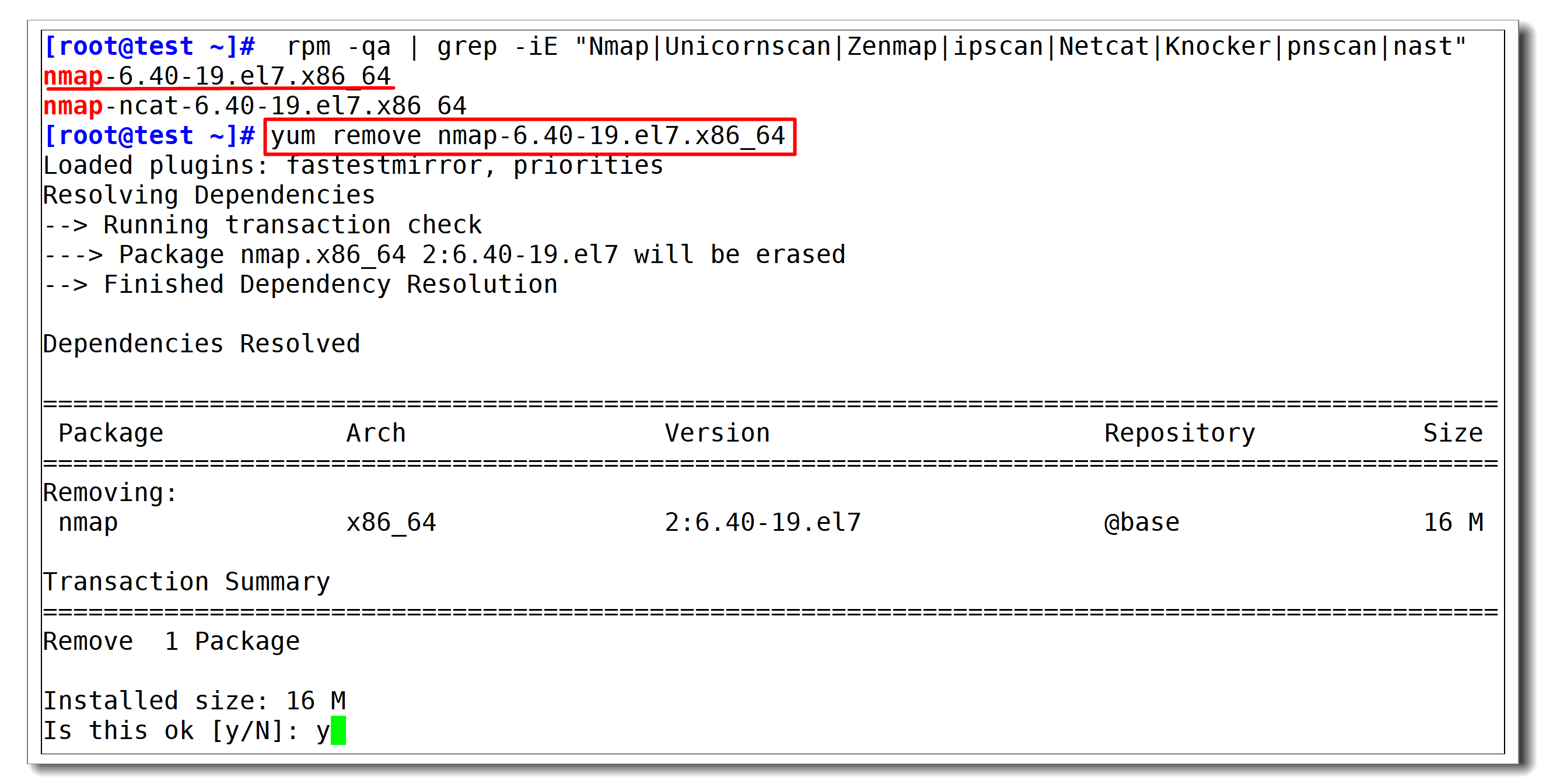
Step 3: Secure Linux Server
Even if you pass the check abuse IP step, you should still secure your server to prevent future abuse.
Follow our detailed guide: [How to Secure a Linux Server]
- Keeping your system updated (
yum updateorapt update && apt upgrade). - Using a firewall (iptables, firewalld, or ufw).
- Disabling root SSH login.
- Installing fail2ban to block repeated login attempts.
Step 4: Reload the OS (If Needed)
If you still cannot resolve the IP abuse problem after the above steps, the safest solution is to reload the operating system.
- Reloading your OS will:
- Wipe out all malicious software.
- Give you a fresh, clean server.
- Remove vulnerabilities caused by hidden backdoors.
Warning: Back up important files before reloading the OS, as this process will erase everything.
Conclusion
Handling IP abuse address issues on Linux requires careful IP abuse check procedures, removing suspicious software, and strengthening server security. If all else fails, reload the OS for a clean start.
By taking these steps, you will prevent future check abuse IP reports, keep your server secure, and protect your reputation.
abuse ip address, ip abuse, abuse ip check, check ip abuse, ip abuse check, ip abuse lookup, check abuse ip