


How to Install Node js on Ubuntu
By the end of this tutorial, you’ll be ready to use Node.js on Ubuntu for web or backend development.
What is Node.js?
Node.js is an open-source, cross-platform runtime environment that lets you run JavaScript on the server.
- Works with Node Package Manager (npm)
- Used for both frontend and backend development
- Popular for building fast, scalable web applications
Express.js is a lightweight framework for Node.js, perfect for building APIs and websites.
Prerequisites
Before you start installing Node.js on Ubuntu 20.04:
- Have a fully updated Ubuntu 20.04 server
- Create a non-root user with sudo privileges
How to Install Node.js on Ubuntu?
Step 1: Install Node.js on Ubuntu 20.04
There are several methods to install Node.js on Ubuntu. You can:
- Install from the official Ubuntu repository (stable version)
- Install from NodeSource PPA (newer versions)
- Install with NVM (Node Version Manager) for flexibility
1.1 Install Node.js from Ubuntu Repository
This method provides a stable release but not always the latest version.
sudo apt update
sudo apt install nodejs -y
sudo apt install npm -y
Check the installed versions:
node -v
npm -v
Now you have Node.js installed on Ubuntu with npm.
1.2 Install Node.js via NodeSource PPA
If you need the latest Node.js version, use the NodeSource PPA. Download and install Node.js 16.x (replace 16.x with another version if needed):
curl -sL https://deb.nodesource.com/setup_16.x | sudo -E bash -
sudo apt install nodejs -y
Check versions:
node -v
npm -v
This method is recommended if you want Node.js for Ubuntu with the latest features.
1.3 Install Node.js via NVM
NVM allows you to manage multiple Node.js versions on the same server.
Install NVM:
curl -o- https://raw.githubusercontent.com/nvm-sh/nvm/v0.39.1/install.sh | bashVerify installation:
nvm -vList available Node.js versions:
nvm ls-remote | moreInstall the latest Node.js:
nvm install nodeOr install a specific version (example v16.15.0):
nvm install 16.15.0Switch between versions:
nvm use 18.2.0Best option if you want flexibility in Node.js install on Linux.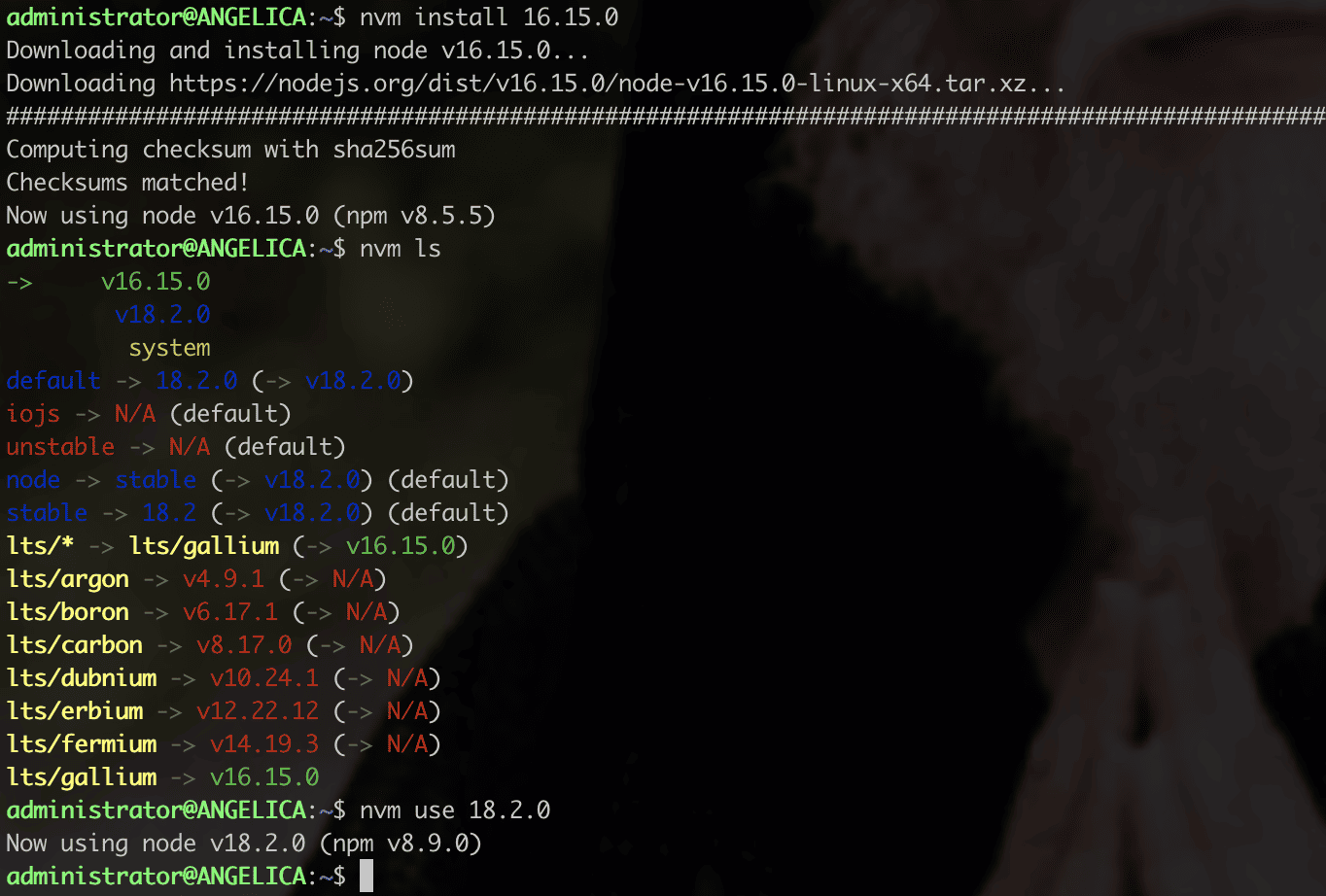
Step 2: Install Express.js
Now that Node.js is installed, let’s install Express.js and create a simple app.
2.1 Install Express globally
npm install -g express2.2 Create a new project
mkdir myproject
cd myproject
npm init -y
npm install express
2.3 Create an app.js file
nano app.jsAdd this Hello World example:
const express = require('express')
const app = express()
const port = 3000

app.get('/', (req, res) => {
  res.send('Hello World!')
})

app.listen(port, () => {
  console.log(`App running at http://localhost:${port}`)
})
Run the app:
node app.jsStep 3: Access Your Express App
By default, the app runs on http://Server-IP:3000.
Open your browser and visit:
http://your-server-ip:3000You should see Hello World!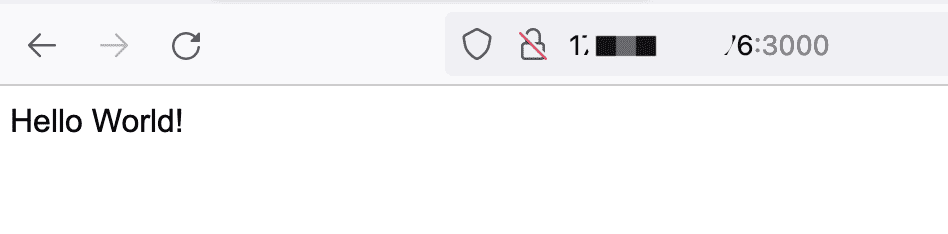
Conclusion
Congratulations! You now know how to:
- Download and install Node.js on Ubuntu 20.04
- Use different methods (Ubuntu repo, PPA, NVM)
- Verify if Node.js is installed
- Install and run an Express.js app
This guide works not only for Node.js Ubuntu installation, but also for general Node.js install in Linux servers.
node js download, install js node, node js installed, install node js, install node for ubuntu, install node js for ubuntu, installing node js on ubuntu, node js install in ubuntu, node js install on ubuntu, setup nodejs on ubuntu, install nodejs ubuntu, install node js linux, install node js in linux, install nodejs in linux, install nodejs on linux, node js install in linux, node linux install, node js linux, install nodejs package, node js ubuntu, node for ubuntu, node in ubuntu, node on ubuntu, instal node js linux, node js linux download, node js for linux download, node js download linux, node js download for linux, download node js on ubuntu, download node js ubuntu