


How to Install Windows Defender Antivirus
Introduction
Windows Defender Antivirus (now known as Microsoft Defender Antivirus) is a built-in security tool for Windows Server 2016 and 2019. It helps protect your server from viruses, malware, and other security threats.
In this guide, we’ll walk you step by step through how to install Windows Defender, run the Microsoft Defender installer, and complete the Windows Defender configuration to secure your server.
Steps to Install Windows Defender Antivirus
Step 1: Open Server Manager
- Log in to your Windows Server 2016/2019.
- Click Start, then select Server Manager.
- Inside Server Manager, click Add roles and features to begin the installation wizard.
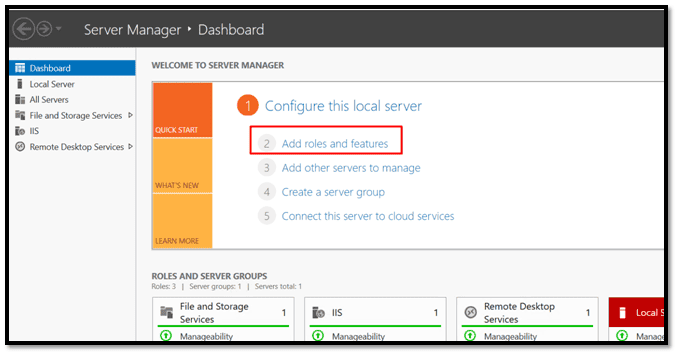
Step 2: Run the Microsoft Defender Installer
- In the Add Roles and Features Wizard, click Next until you reach the Features section.
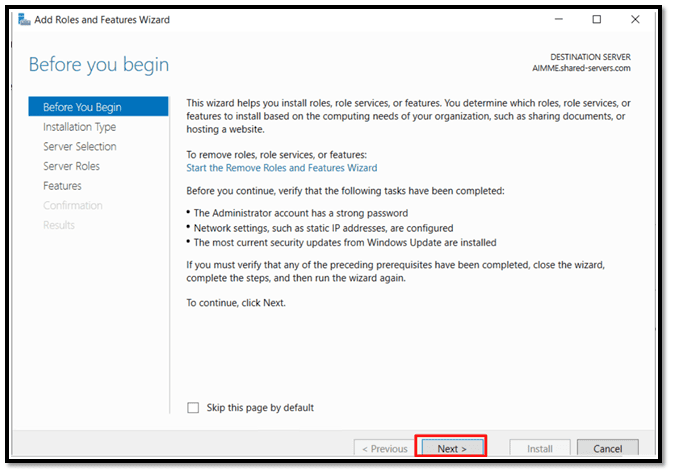
- Scroll down and check Windows Defender Antivirus.
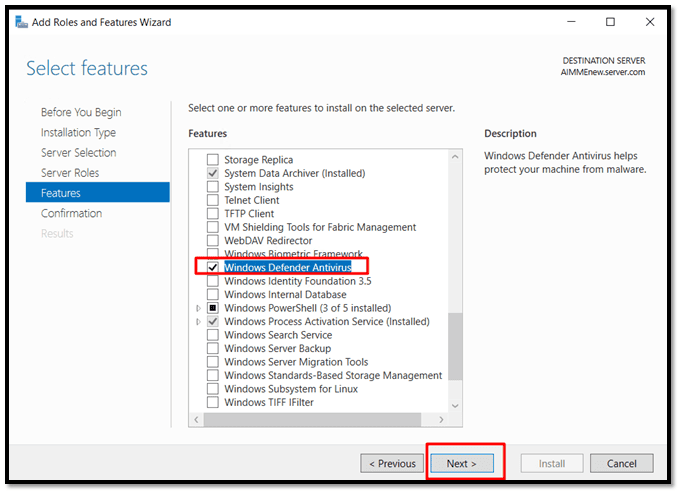
- Click Next, then click Install.
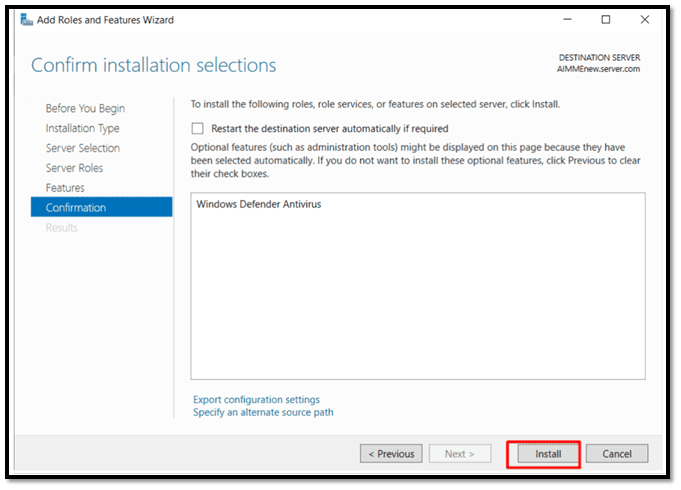
This is the Microsoft Defender installer process for Windows Server.
Step 3: Restart the Server
- After the install Defender step is completed, you will be prompted to restart the server.
- Click Restart Now to finish the installation.
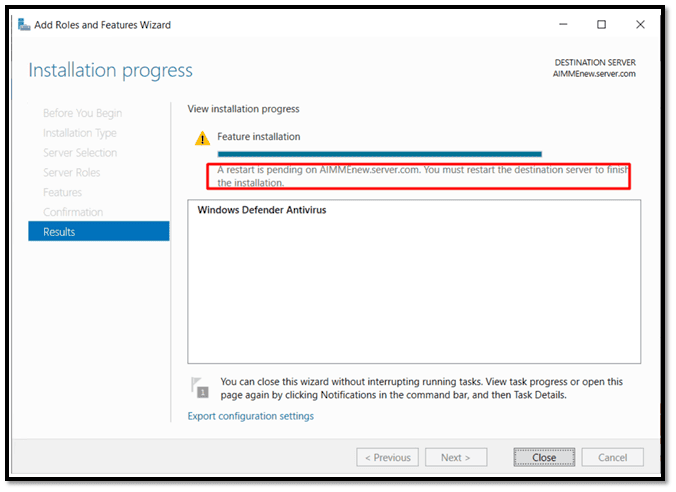
Step 4: Open Windows Defender Antivirus
Once the server restarts:
- Click Start, then search for Windows Defender Antivirus.
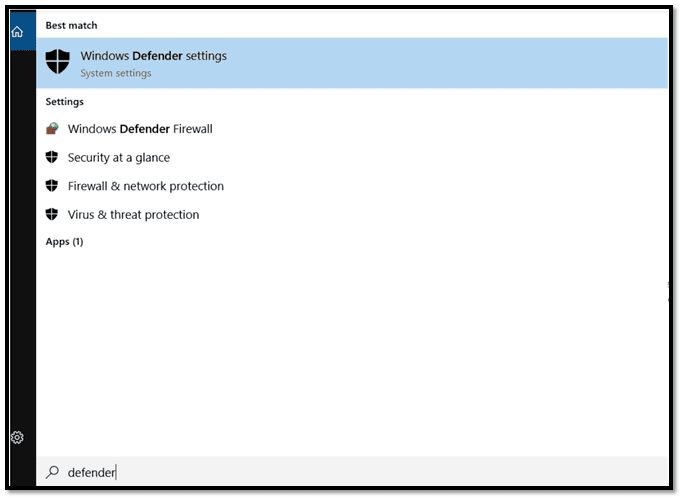
- Open Windows Security and select Virus & Threat Protection.
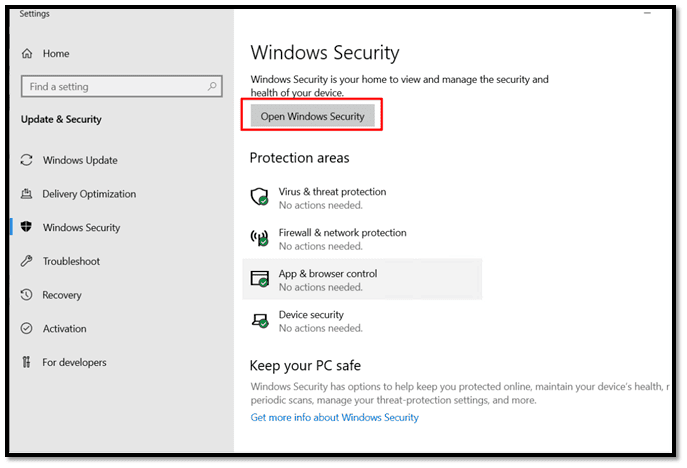
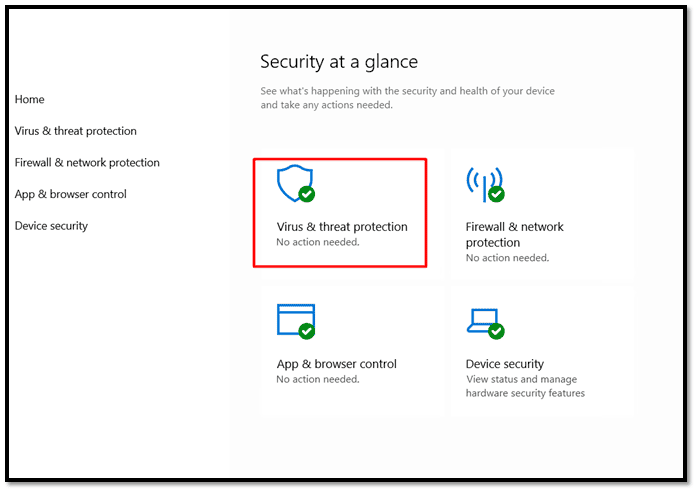
This ensures your Microsoft Defender Antivirus install is active.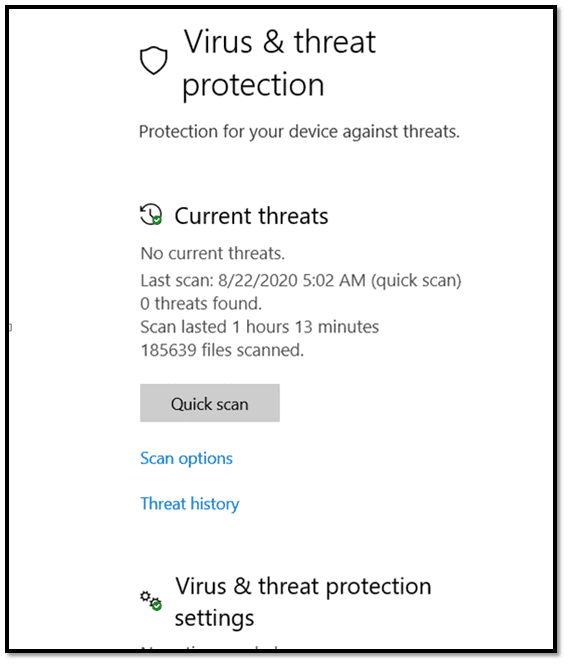
Step 5: Windows Defender Configuration Completed
Congratulations! You have successfully:
- Completed the install Windows Defender Antivirus process.
- Run the Microsoft Defender installer.
- Finished the Defender configuration.
Your Windows Server 2016/2019 is now protected by Microsoft Defender Antivirus.
Other Resources
install windows defender, install microsoft defender, microsoft defender installer, defender config, defender configuration, configure defender, configure windows defender, windows defender configuration, microsoft windows defender install, setting up windows defender, install defender, microsoft defender antivirus install, install windows defender antivirus