


Database Mart Affiliate Program: A Complete Guide
The Database Mart Affiliate Program allows you to earn commissions by promoting VPS, dedicated servers, GPU servers, and other eligible hosting services. Join the program, generate unique affiliate links, and share them through your website, social media, email campaigns, or product reviews. Commissions become available after a referred order remains active for more than 40 days and meets the program requirements. Whether your audience is looking for server hosting, USA hosting, or a reliable hosting provider, this guide explains how to get started and manage your affiliate earnings.
1. Join the Affiliate Program and Generate Links
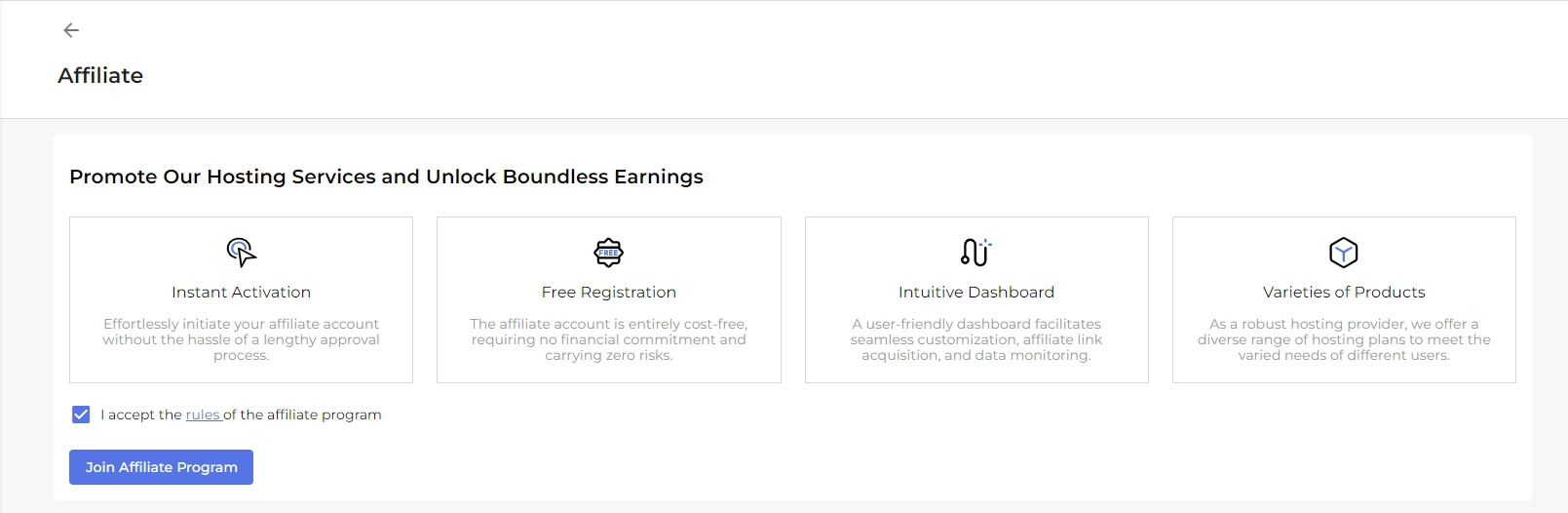
Step 1: Join the Program
Log in to your Database Mart account. If you do not have an account, register first, navigate to the Affiliate section, and click Join Affiliate Program.
You can also visit the Database Mart Affiliate Program page for more information.
Step 2: Generate Affiliate Links
After joining, generate unique affiliate links to track referrals and attribute eligible orders to your account.
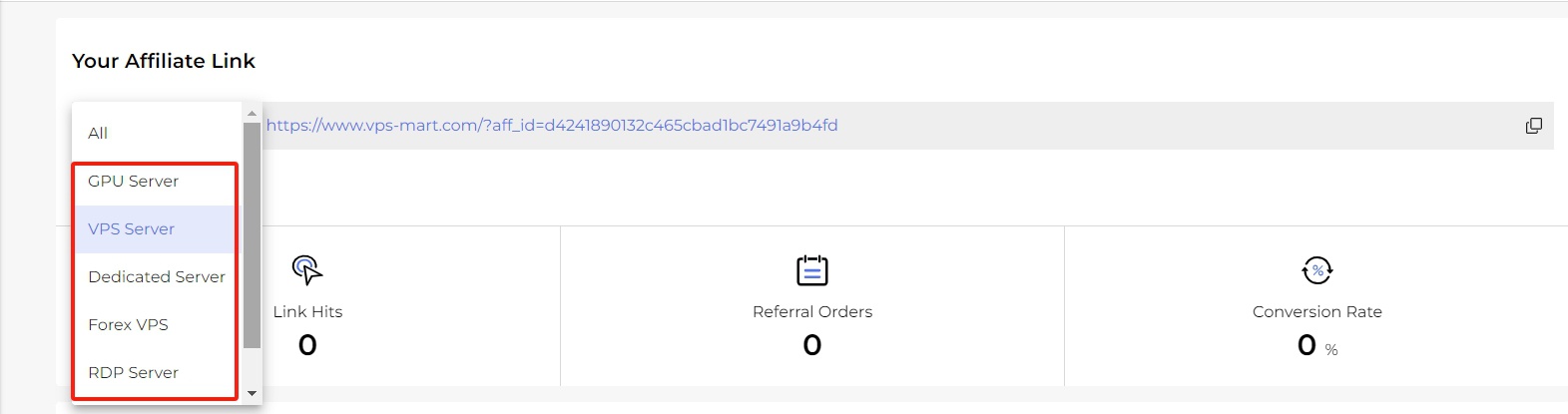
Database Mart provides three main link types:
General Link: Directs visitors to the Database Mart homepage.

Category Link: Directs visitors to a specific product category, such as VPS or dedicated servers.
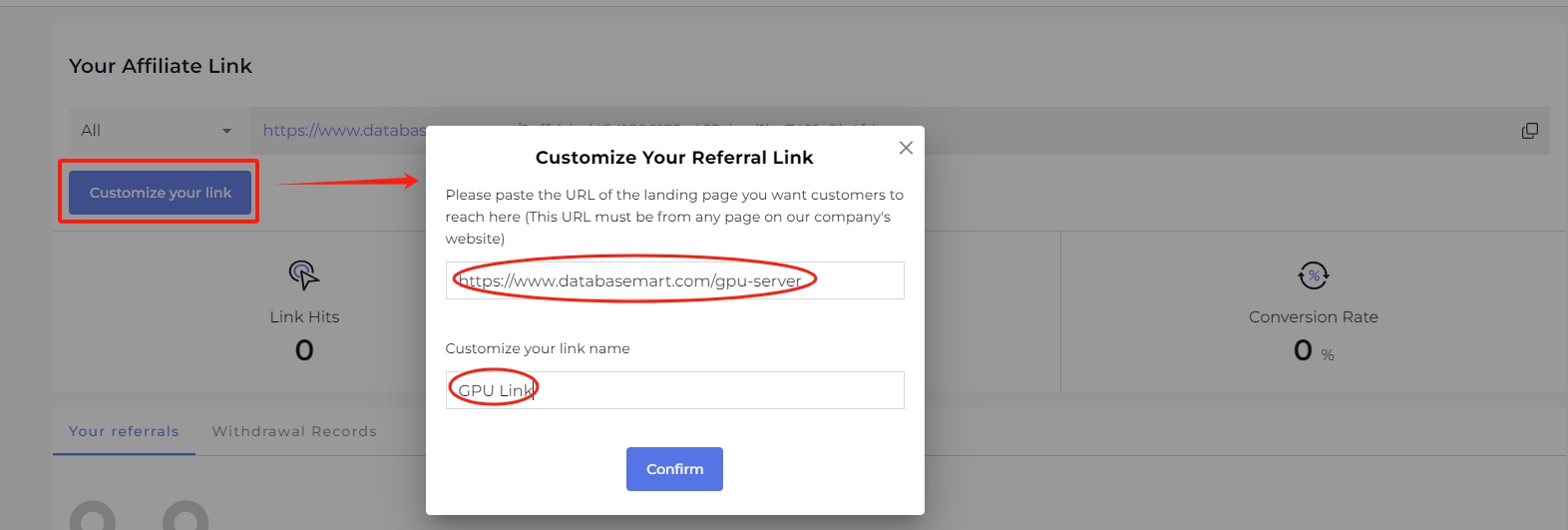
Custom Link: Directs visitors to a tailored product page or landing page relevant to their needs.

2. How to Promote Your Affiliate Links
Choose promotional channels that match your audience and provide useful information about the hosting services you recommend.
- Website and blog: Publish tutorials, comparisons, and reviews of VPS hosting, GPU servers, and dedicated server hosting.
- Social media: Share relevant content and affiliate links on platforms such as Facebook, X, and Instagram.
- Email marketing: Send subscribers helpful product recommendations and hosting guides.
- Custom landing pages: Create targeted pages for specific audiences, such as developers, businesses, and users looking for USA hosting.
- Product reviews: Explain server specifications, use cases, and the advantages of different hosting solutions.
- Online communities: Participate in relevant forums and answer questions before sharing links where permitted.
- Paid advertising: Use PPC campaigns only after checking the affiliate program's applicable advertising rules.
For better conversions, match each affiliate link to the content. For example, a guide about GPU computing should link to a relevant GPU server page rather than the general homepage. Always disclose affiliate relationships and follow the promotional platform's policies.
3. Track Affiliate Performance
Use the affiliate dashboard to monitor your promotional results.

Key metrics include:
- Link Hits: Number of clicks on your affiliate links.
- Referral Orders: Number of orders attributed to your links.
- Conversion Rate: Percentage of clicks that result in orders.
Review these metrics regularly to identify which pages, campaigns, and hosting products generate the most qualified referrals.
4. Understand Commission Statuses
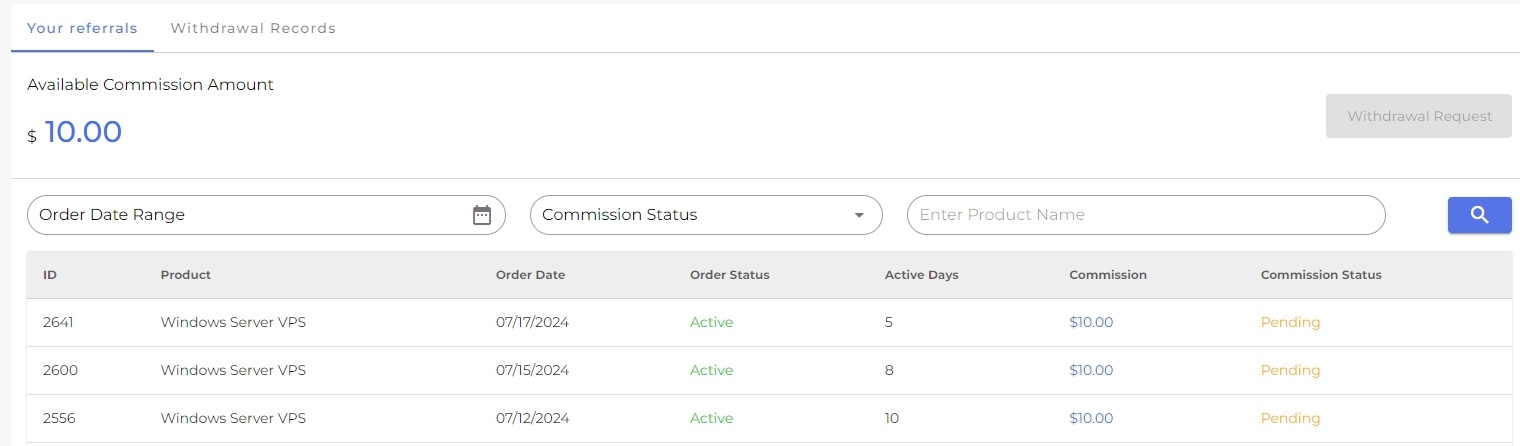
A referred order must remain active for more than 40 days and satisfy the program requirements before its commission becomes available.
| Status | Meaning |
|---|---|
| Pending | The order is within the 40-day validation period. |
| Invalid | The order does not qualify for a commission. |
| Available | The commission has passed validation and is eligible for withdrawal. |
| Withdrawing | A withdrawal request is being processed. |
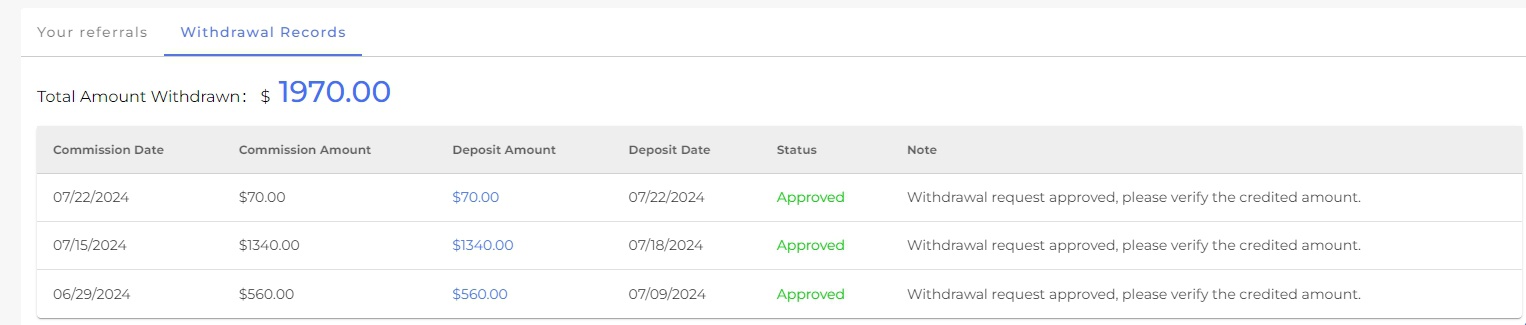
| Withdrawn | The commission has been paid out. |
Commissions may be rejected or revoked under the following circumstances:
- The referred customer cancels the service or requests a refund within the first 40 days.
- The order is identified as fraudulent.
- The purchase involves an ineligible product, such as an SSL certificate or domain registration.
- The referral relationship is invalid, including self-referrals through multiple accounts.
- The customer does not complete the purchase within 24 hours of clicking the affiliate link.
- The purchase is not correctly attributed to your affiliate link.
Review the current program terms if you are unsure whether a specific order qualifies.
5. Request a Commission Withdrawal
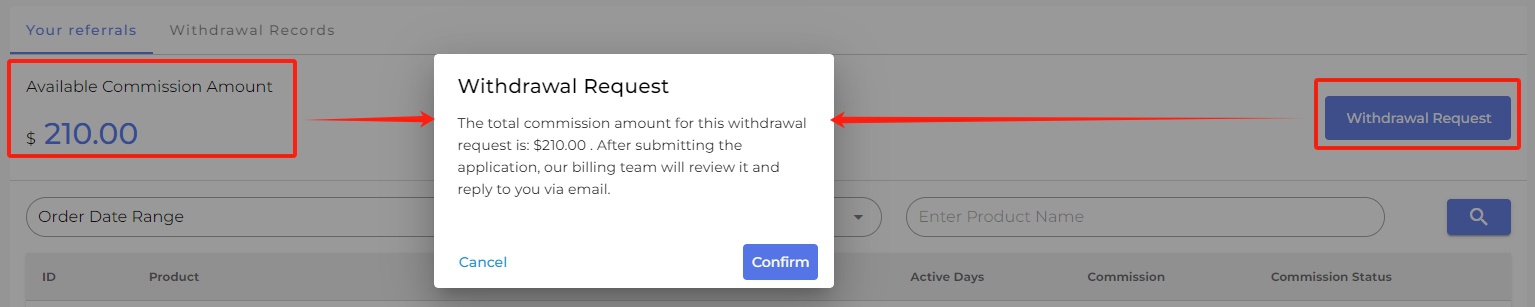
You can request a withdrawal when your available commission reaches $50.
- Log in to your affiliate dashboard.
- Confirm that your available balance meets the minimum withdrawal threshold.
- Submit a Withdrawal Request.
- The billing team will process the request and respond through the support ticket system.
Conclusion
The Database Mart Affiliate Program provides an opportunity to earn commissions by referring customers to eligible hosting services. Join the program, create relevant affiliate links, track referral performance, and follow the 40-day validation and $50 withdrawal requirements.
Whether your audience needs USA hosting, VPS, GPU servers, or dedicated server hosting, focus on useful content and accurate product recommendations. A relevant hosting provider recommendation builds trust and can help improve qualified referrals. Visit the Database Mart Affiliate Program page to get started.