


How to Generate a CSR in Linux Based Server (create CSR)
Introduction
A certificate signing request (CSR) is one of the essential steps before getting your SSL Certificate. The following are the steps on how to generate CSR on a Linux-based server, where OpenSSL is planned to be installed.
Before we generate CSR for a domain, we need to obtain the following information.
 Common Name: The name of the domain in need of an SSL certificate.

 Organization: The name of your organization/company

 Organizational Unit: Affiliated department

 Locality (City):

 State:

 Country:
Steps to Generate a CSR in Linux-based Server
Step 1: Log into the terminal of your server
Please log into the server where you plan to install the certificate via Secure Shell (SSH).
Step 2: Install OpenSSL
Please use the following commands to install OpenSSL tool if it has not been installed on your server.
yum install openssl -y (Centos)
apt install openssl -y (debian/ubuntu)
yum install openssl -yStep 3: Create a private key and a CSR
Please use the following command to generate a private key and a CSR:
openssl req -new - newkey rsa:2048 -nodes -keyout domain.key -out domain.csrNote: Please replace the key and CSR name with your domain name that needs to create CSR.
Step 4: Enter the details of the CSR
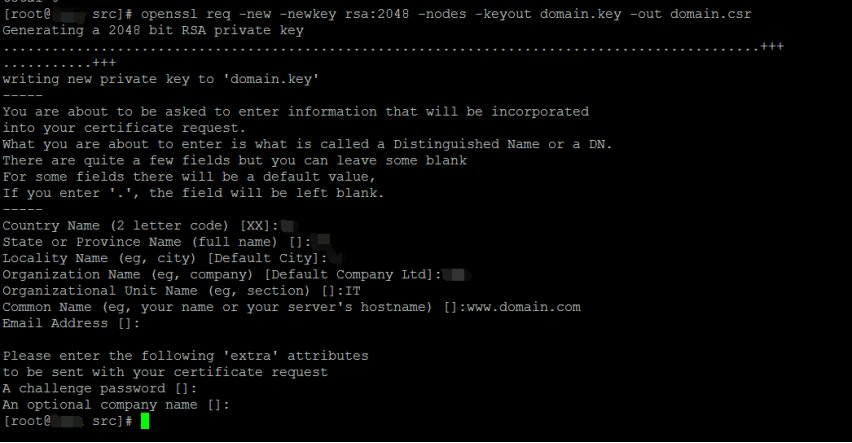
CSR requires the following information
Common Name: The domain that needs the CSR. Such as www.google.com.
Organization: The name of your organization/ company.
Organization Unit (OU): Affiliated department.
City or Locality:
State or Province:
Country: The official two-letter country code (i.e., US, UK, IN) where your organization is legally
Note: You do not need to enter a password or passphrase. This optional field is for applying additional security to your key pair.
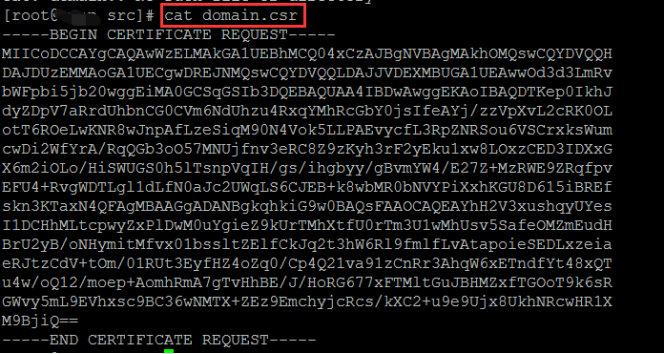
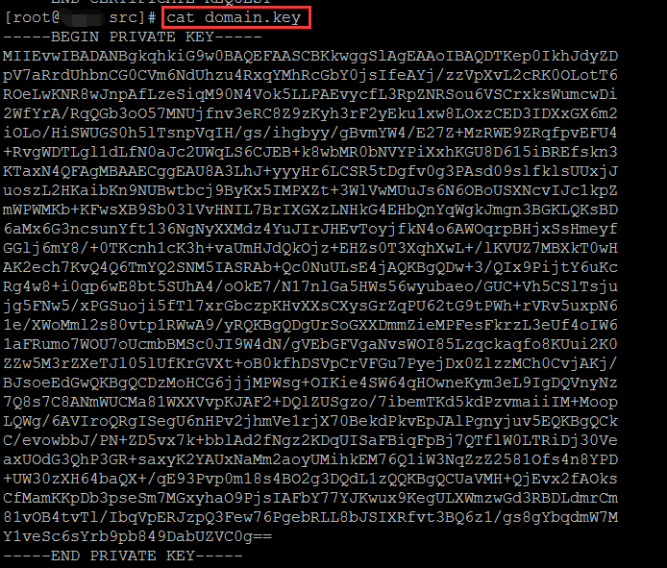
Step 5: Check the CSR and private key
The CSR will be created after step 3.
Note: Please ensure that the private key is saved. The private key is very important to create a PFX certificate or use the SSL certificate for the web service of the Linux server.
Configure a Certificate in the Billing System
Once you have completed all of the above steps, you can proceed to configure a certificate in the Billing system by referring to How to Configure a Certificate in the New Client Control Panel.