


Customer Story: Reliable 24/7 Forex EA Trading on DBM Windows VPS
"I'm a Forex trader, and this is my first time using a VPS to run automated trading. The main reason I set it up was to keep my Forex Expert Advisor running 24/7 without depending on my personal computer or worrying about internet or power interruptions. I use a Windows VPS with MetaTrader 5 installed, where my EA runs continuously, monitors the market, and executes trades automatically.
In the following sections, I'll share how I set everything up, how the server performs in daily use, and some practical tips I've learned from running an EA on a VPS."
Submitted by user "ealag***@gmail.com"
Application Scenario
The VPS is used as a dedicated environment for automated Forex trading. It runs a single MetaTrader 5 terminal with one custom Forex Expert Advisor operating continuously. The Expert Advisor monitors the Forex market in real time and automatically executes trades based on predefined strategies and risk management rules. The workload is lightweight in terms of CPU and memory usage, but it requires high stability, low latency, and uninterrupted 24/7 operation. By using a Windows VPS, the trading system remains online at all times, independent of local devices or network conditions, ensuring consistent trade execution and reliable automated trading performance.
Server Specifications
✅ CPU: 2 vCPU Cores
✅ RAM: 4GB
✅ Storage: 60GB SSD
✅ Bandwidth: 100Mbps Unmetered
✅ Backup: Once per 4 Weeks
✅ IP Address: 1 Shared IP
✅ Operating System: Windows Server
Deployment Process
The deployment process was straightforward and quick. I first connected to the VPS using Remote Desktop, then installed MetaTrader 5 directly from the official broker website. After that, I uploaded my custom Forex Expert Advisor files to the platform, configured the trading account credentials, and enabled automated trading. Additional system settings were adjusted to prevent automatic logouts and ensure MetaTrader starts automatically after system reboots. Once configured, the Expert Advisor began running continuously without requiring further manual intervention.
Resource Utilization (Under Load)
- CPU: 10%
- Memory: 52%
The Windows VPS is operating efficiently. Low CPU usage and moderate memory utilization suggest the server has more than enough resources to run a single MetaTrader 5 terminal with an Expert Advisor continuously. Performance should remain stable even under peak market activity or temporary workload increases.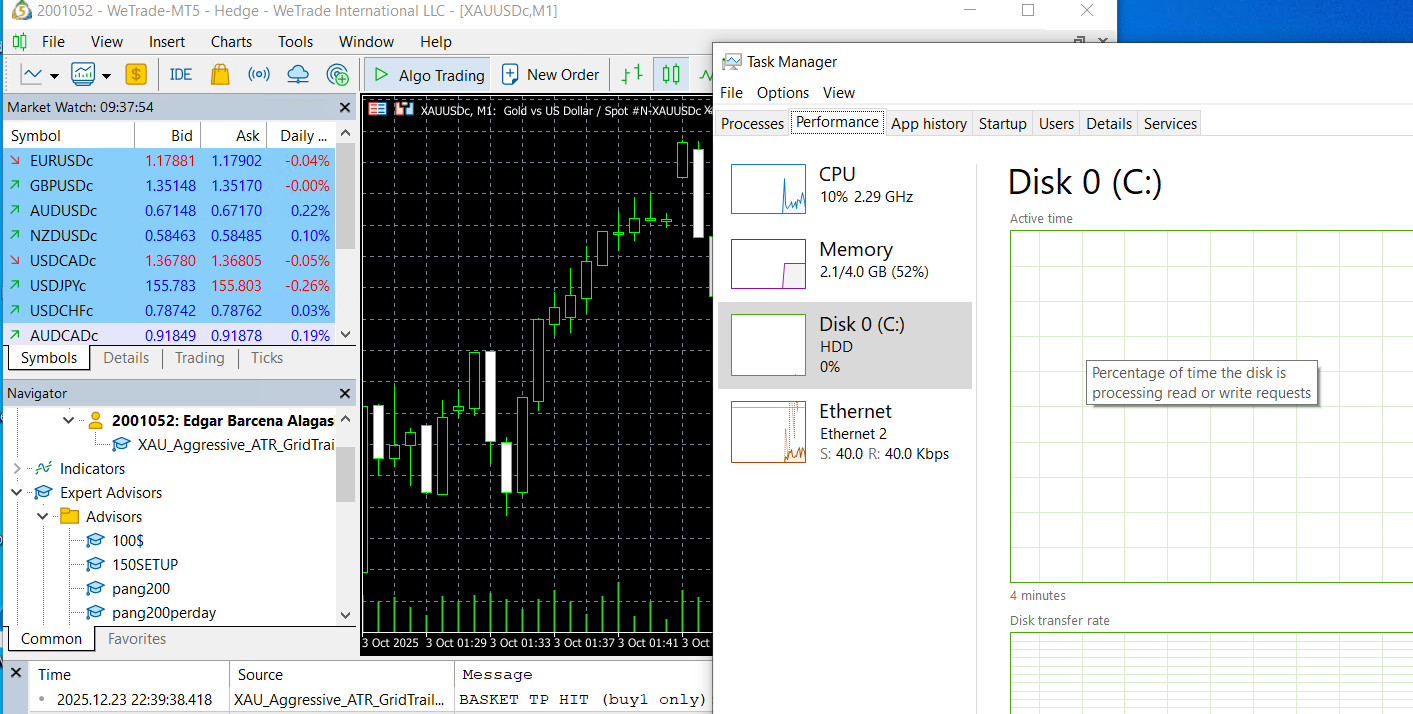
Performance Review
The VPS performs very reliably for running a Forex Expert Advisor 24/7. The CPU usage stays low at around 10%, and memory usage is moderate at 52%, which means the server has plenty of resources to handle the workload smoothly. The Expert Advisor runs continuously without lag, freezing, or interruptions, and trades are executed quickly and accurately.
Network Performance
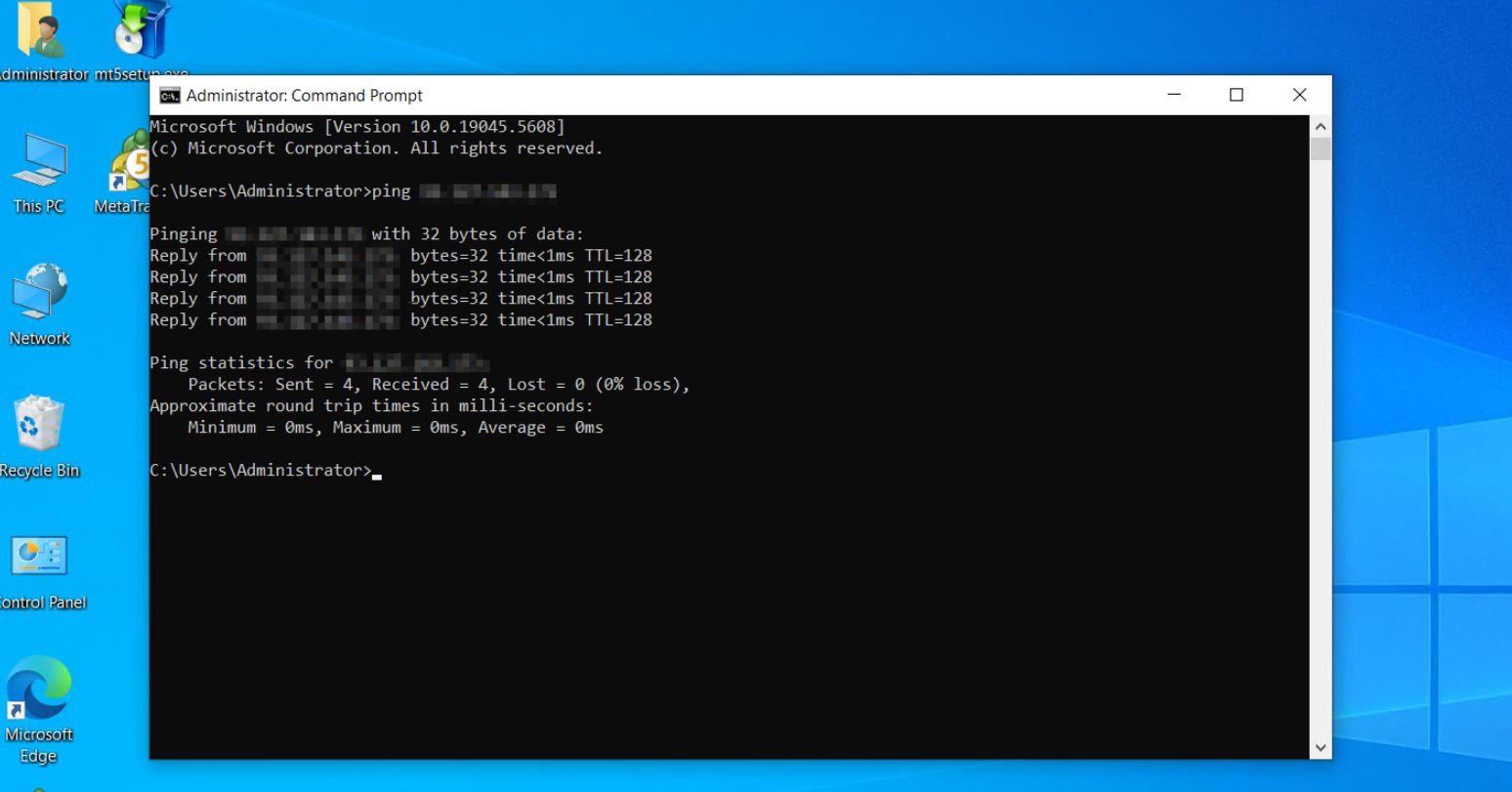
Ping Test
Speed Test
- Download speed: 95.04 Mbps
- Upload speed: 102.23 Mbps
The network latency is super low, and both upload and download speeds are really high, which makes it perfect for my Forex automated trading. Market updates and order executions feel almost instant, and my automated trading runs super smoothly without any lag or delays.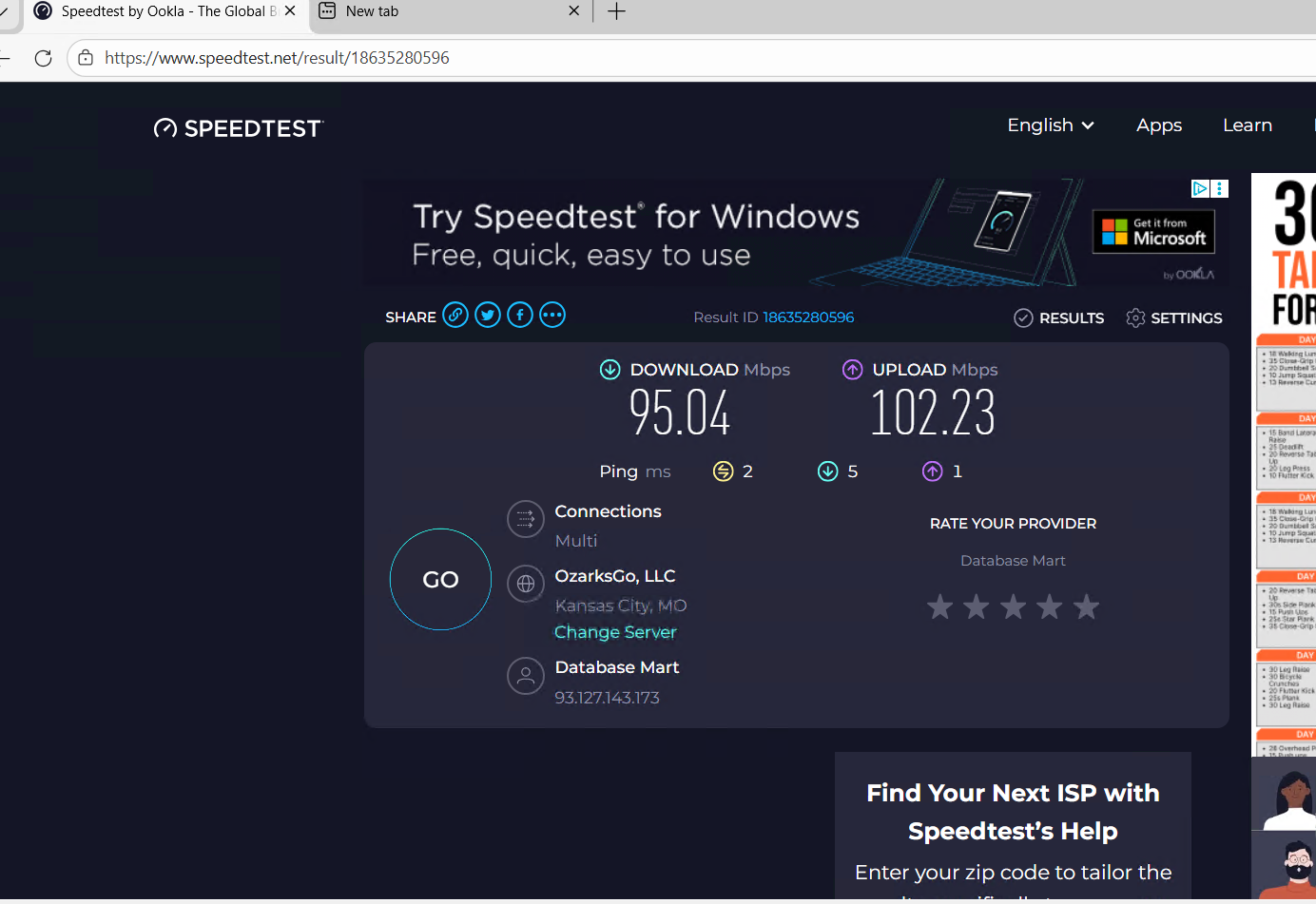
Application Performance Evidence
Reliability Evaluation
The VPS has proven to be highly reliable for running my Forex Expert Advisor continuously. Since setup, the server has been running without crashes or forced restarts. CPU and memory usage remain stable, and my Expert Advisor executes trades smoothly without lag or interruptions.
Optimization Tips
- Limit running applications: Keep only necessary applications on the VPS to reduce resource usage and prevent overload.
- Disable unnecessary startup programs: Turn off Windows programs that start automatically to free up CPU and memory for MetaTrader and the Expert Advisor.
- Enable auto-start for trading applications: Configure MetaTrader 5 and the Expert Advisor to launch automatically after system reboot to ensure continuous operation.
- Prevent automatic logouts and idle timeouts: Adjust VPS settings to avoid interruptions in automated trading.
- Monitor system resources regularly: Check CPU and memory usage to maintain stable performance and avoid potential bottlenecks.
- Resolve setup issues promptly: Minor connection or configuration issues can be fixed by reinstalling the trading platform, verifying account settings, and ensuring stable internet connectivity.
Conclusion & Recommendations
For anyone running automated Forex trading, this VPS setup is ideal: it combines reliability, stability, and performance, making it a strong choice for continuous market monitoring and automated trade execution. Proper system optimization and monitoring further enhance performance, ensuring trading runs smoothly at all times.
Why Choose DBM?
I chose Database Mart because of its affordable pricing, stable server performance, and reliable uptime. The VPS setup process was straightforward, and the server met my requirements for low latency and continuous operation. Database Mart also provides responsive support and a dependable hosting environment, which makes it suitable for long-term automated trading.