


Customer Story: Running Reliable Forex Algo Trading with Express Windows Server VPS
"I am currently building a reliable Forex trading environment to support my automated trading activities with MT5. My goal is to run algorithm-based Forex trading smoothly, maintain low latency, and ensure continuous operation without interruptions. After reviewing multiple hosting options, I chose Database Mart's Express Windows Server VPS due to its strong stability, affordable pricing model, and responsive technical support.
In the following sections, I'd like to share my experience, configuration details, performance insights, and practical tips that may help you build a stable and efficient Forex trading environment on a VPS."
Submitted by user "harsh.b.a***@gmail.com"
Application Scenario
The VPS is primarily used for running MT5 terminals to support algorithm-based Forex trading. By deploying the trading platform on the Windows Server VPS, the environment ensures continuous operation, stable connectivity to broker servers, and minimal manual intervention. The setup enables automated trading strategies to run 24/7, handle real-time market data, and execute trades reliably without relying on a local computer.
Server Specifications
✅ CPU: 2 vCPU Cores
✅ RAM: 4GB
✅ Storage: 60GB SSD
✅ Bandwidth: 100Mbps Unmetered
✅ Backup: Once per 4 Weeks
✅ IP Address: 1 Dedicated IPv4
✅ Operating System: Windows Server 2022
Deployment Process
The deployment process was straightforward and efficient. After setting up the Windows Server 2022 environment, I downloaded the MT5 terminal directly from the official MetaQuotes website and completed the installation without requiring any additional drivers or dependencies. Only basic user details were configured inside MT5, with no advanced tuning or performance parameters needed. The server was ready for algorithm-based Forex trading within minutes, making the overall setup simple, clean, and highly accessible for both new and experienced users.
Performance Review
So far, the VPS has been running really well for my daily trading needs. MT5 performs smoothly without crashes, freezes, or any forced restarts, even when I keep it running 24/7 for algo trading. I usually run two terminals at the same time, and the server stays responsive with stable resource usage. The overall connection has been reliable too—any latency issues I experienced were due to my broker's server location, not the VPS itself. After several days of uninterrupted uptime, I'm very satisfied with the stability and performance for automated trading.
Network Performance
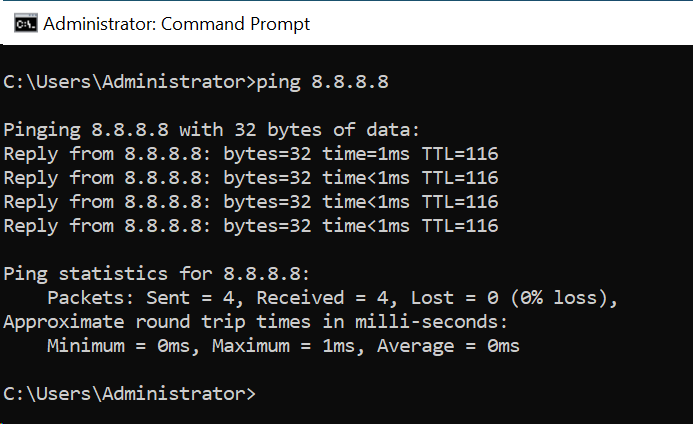
Ping Test
Speed Test
- Download speed: 460.15 Mbps
- Upload speed: 98.57 Mbps
With this level of speed, everything runs smoothly. The high download rate makes updates and file transfers super fast, and the upload speed—almost 100 Mbps—is great for sending trading data and using Remote Desktop without any lag.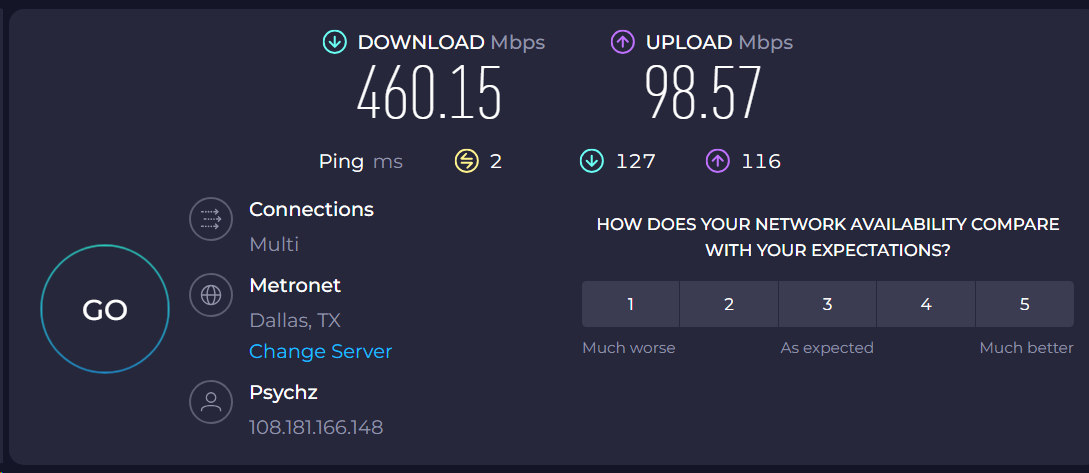
Reliability Evaluation
In terms of reliability, my VPS has been performing extremely well. I've had it running continuously without any interruptions, crashes, or forced restarts, and everything has stayed perfectly stable.
Resource Utilization (Under Load)
- CPU: ~11%
- Memory: 1.7 GB / 4 GB (42%)
MT5 runs very easily with the CPU staying around 11%, and the memory usage is healthy with plenty of room left. 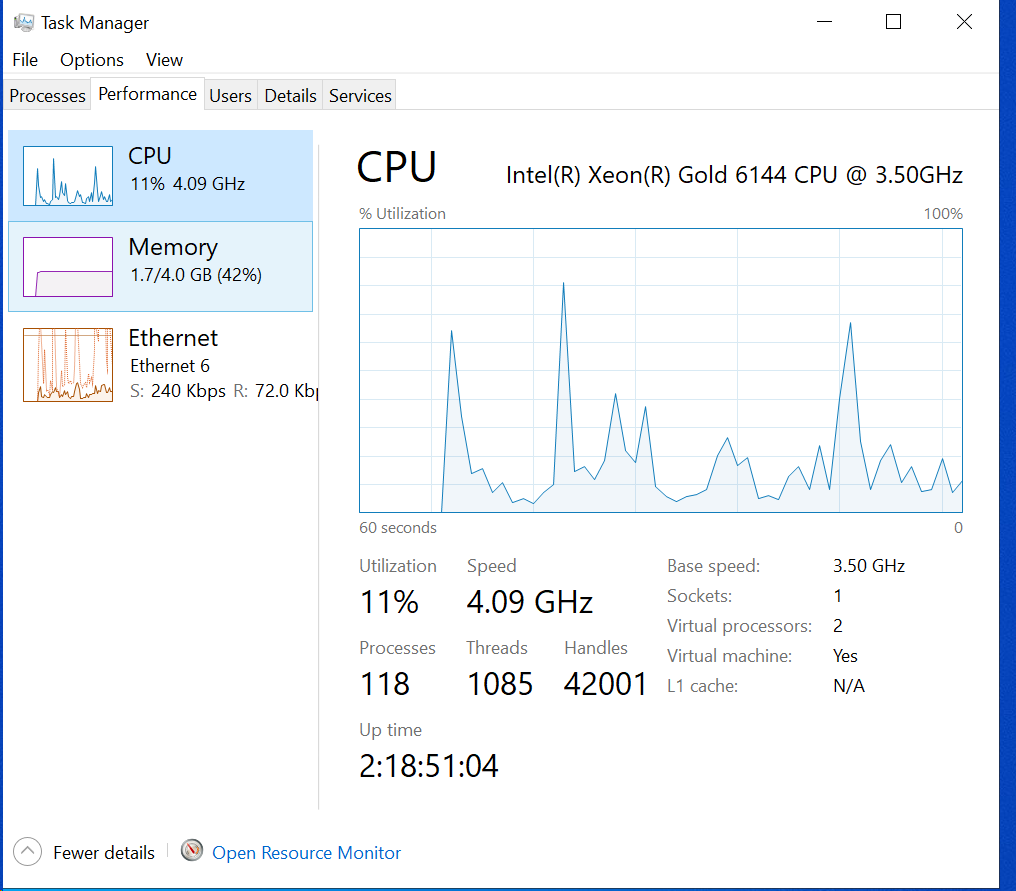
Application Performance Evidence
Optimization Tips
To be honest, I didn't need to make many tweaks because the VPS ran smoothly right out of the box. Since MT5 is pretty lightweight, most of the performance came naturally. My main "optimization" was simply keeping the setup clean—no unnecessary apps, no background tools, nothing running that could eat up CPU or RAM. I also make sure to keep Windows and MT5 updated so things stay stable. Other than that, everything just works without needing extra tuning.
Conclusion & Recommendations
Overall, my experience with this VPS has been very solid. The server runs smoothly, MT5 performs without any lag, and I haven't had a single crash or forced reboot so far.
If someone is looking for a cost-effective and stable Windows-based VPS for trading, I would definitely recommend choosing a plan that matches the number of MT5 instances they plan to run. For traders who need low latency, it's important to test ping with the broker first, as latency depends heavily on the broker's server location. Other than that, the performance, pricing model, and overall value make this VPS a strong choice for anyone running automated trading strategies.
Why Choose DBM?
One major plus point is the pricing model, they don't charge for 3 or 6 months amount at a time, the invoice is generated monthly for each month.