


How to Create a Website in ISPConfig
Introduction
If you are new to web hosting and want to create a website using ISPConfig, this guide will walk you through the entire process. ISPConfig is a powerful open-source hosting control panel that allows you to create a site, manage domains, emails, and FTP accounts with ease.
Whether you want to set up a website for your business or make your own website as a personal project, follow this beginner-friendly tutorial to learn exactly how to set up a website in ISPConfig.
Why Use ISPConfig to Create A Website?
Before jumping into the steps, here’s why many beginners prefer ISPConfig for website creation:
- Simple and user-friendly control panel
- Supports multiple websites under one account
- Easy management of FTP, DNS, and domains
- Great for both beginners and advanced users
Steps to Create a Website in ISPConfig
Step 1: Login to ISPConfig Control Panel
- Open your web browser and go to your ISPConfig login page.
- Enter your username and password provided by your hosting provider.
- Click Login to access the ISPConfig dashboard.
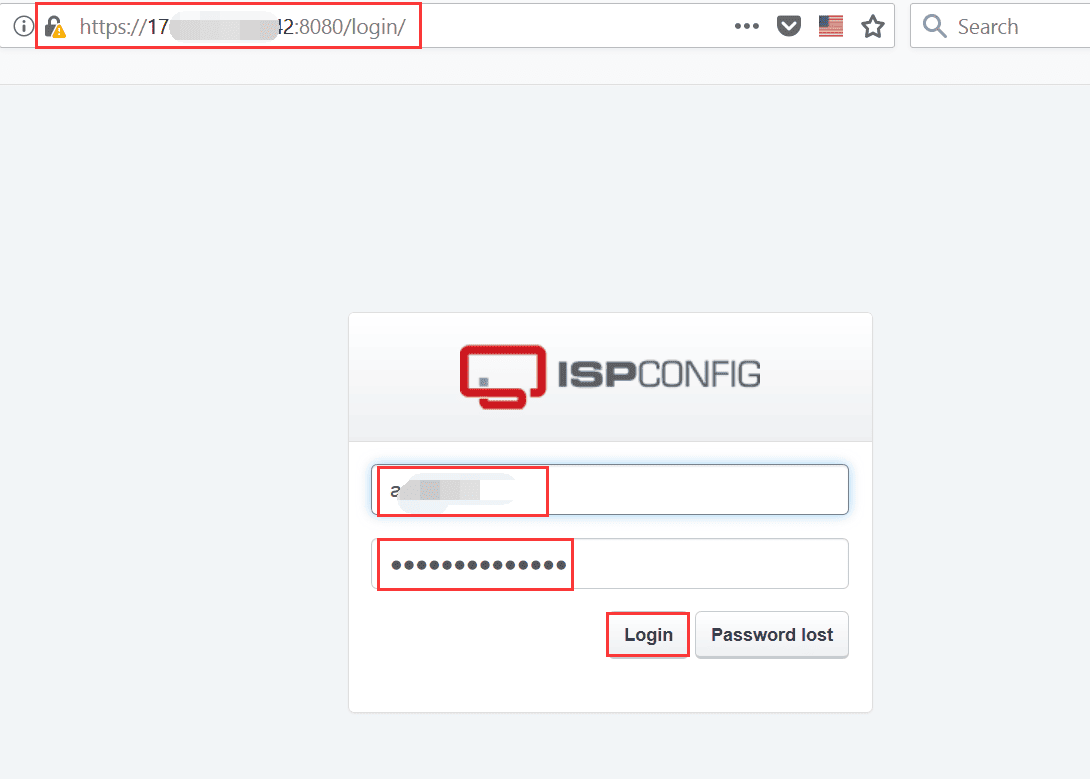
This dashboard is where you will manage everything related to your hosting account, including DNS settings, email, and websites.
Step 2: Access the "Sites" Section
- From the ISPConfig dashboard, locate the Sites tab in the main menu.
- Click on Sites to open the website management area.
- Here you can view a list of existing websites (if any).
Step 3: Add a New Website
- In the Sites section, click Add new website.
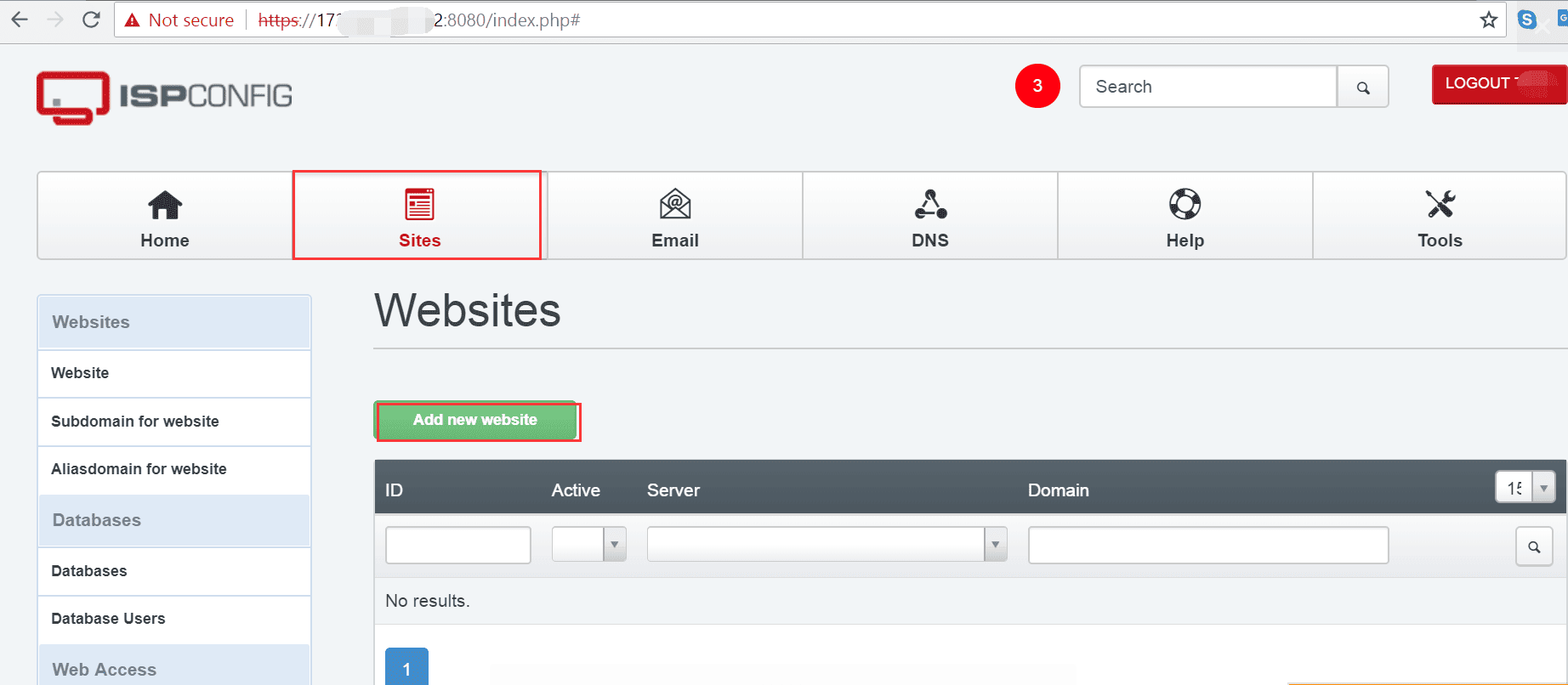
- A form will appear asking for details about your new website.
- Enter the following information carefully and save them:
- Domain: Type the domain name you want to use (e.g.,
example.com). - IP Address: Select the correct server IP address (usually pre-filled).
- Other Settings: Configure options like PHP version, SSL certificate, or directory paths if required.
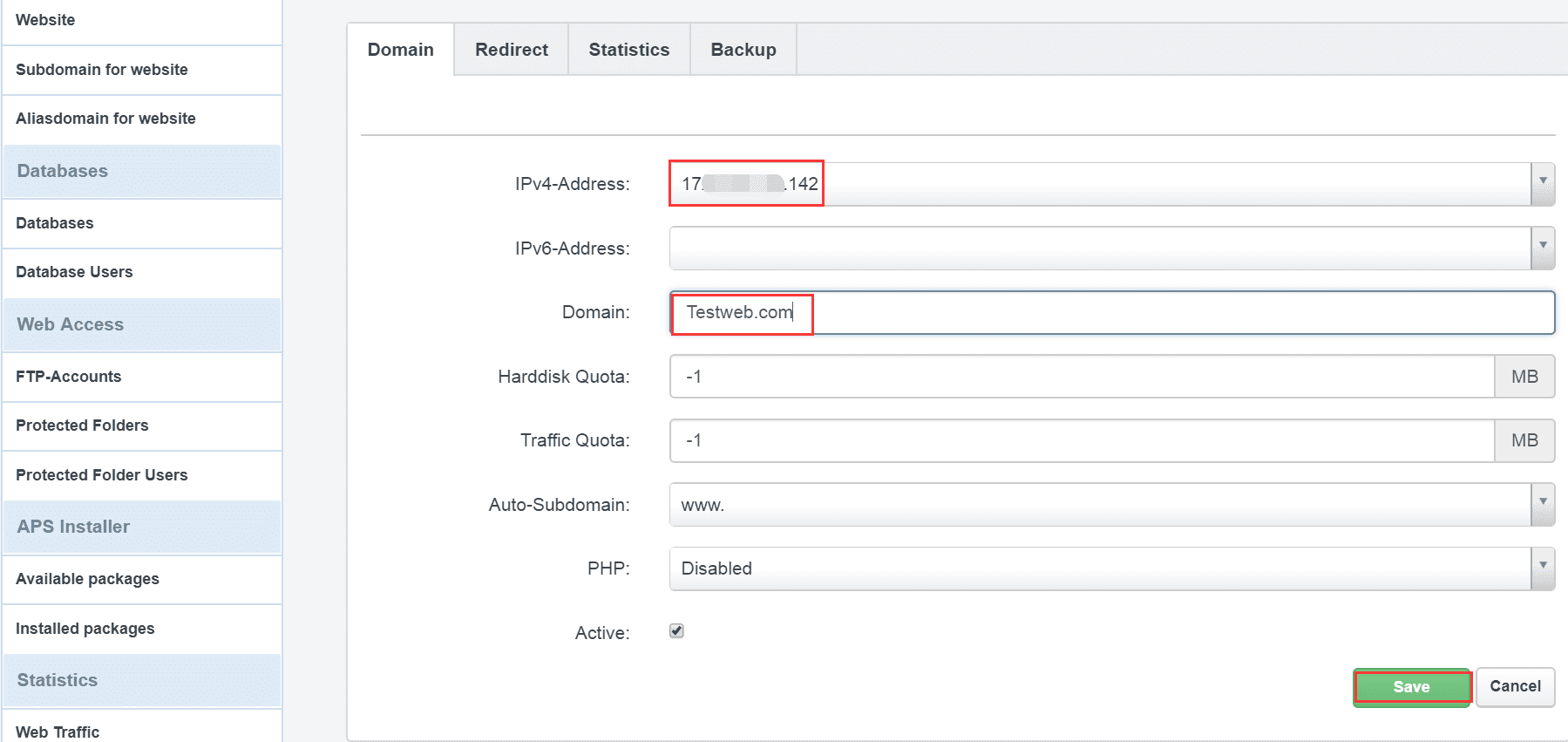
For beginners, you can leave most advanced options as the default.
- Domain: Type the domain name you want to use (e.g.,
Conclusion
Creating a website in ISPConfig is simple if you follow the right steps. With just a few clicks, you can make your own website and start building your online presence. Whether you’re starting a blog, business site, or personal project, ISPConfig makes it easy to set up a website without needing advanced technical skills.
Related Resources
create a website, create a site, set up a website, create your own website, make your own website, how to set up a website