


How to Migrate Email Data from Other Email Services to MailEnable
Preparation Before Migration
1. Create MailEnable Accounts
Make sure you have created the same email accounts in MailEnable as your original email service.
Reference guide: Add Mail Domain and Create Email Accounts in MailEnable
⚠️ Important Notes:
This solution is applicable for migration of one single mail account. If multiple accounts are required to be migrated, please repeat account migration one by one.)
2. Backup Your Emails
Always backup your existing email data before starting the migration to prevent data loss.
Methods to Migrate Email to MailEnable
1. Log in to MailEnable Webmail
Log in MailEnable Web Mail with the target email account. Usually, its link address is http://mail.domain.com.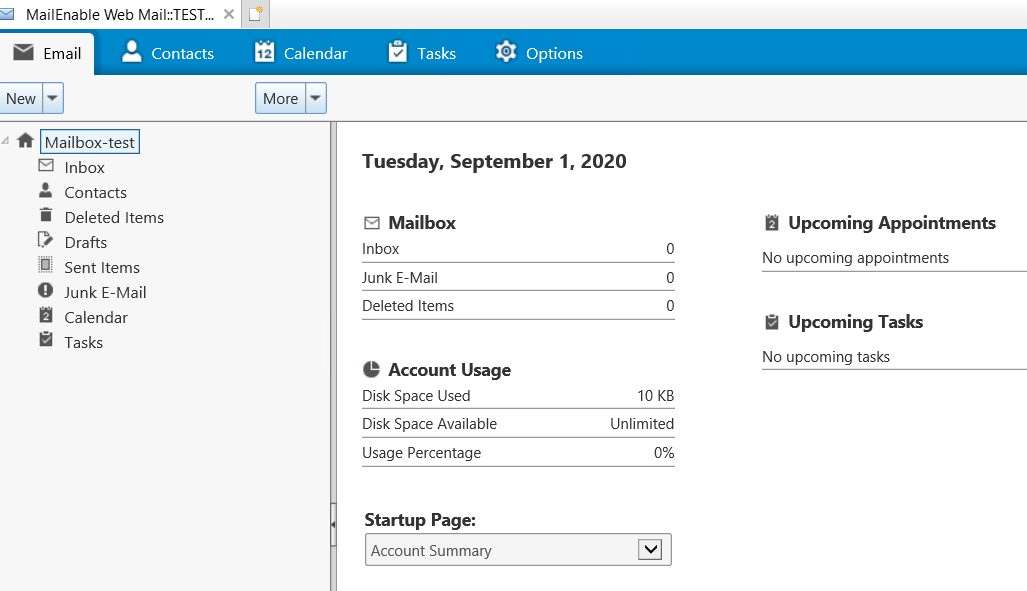
2. Import Emails from a Remote Mail Server
Navigate to Options – Advanced – Import, and import mails on a remote mail server.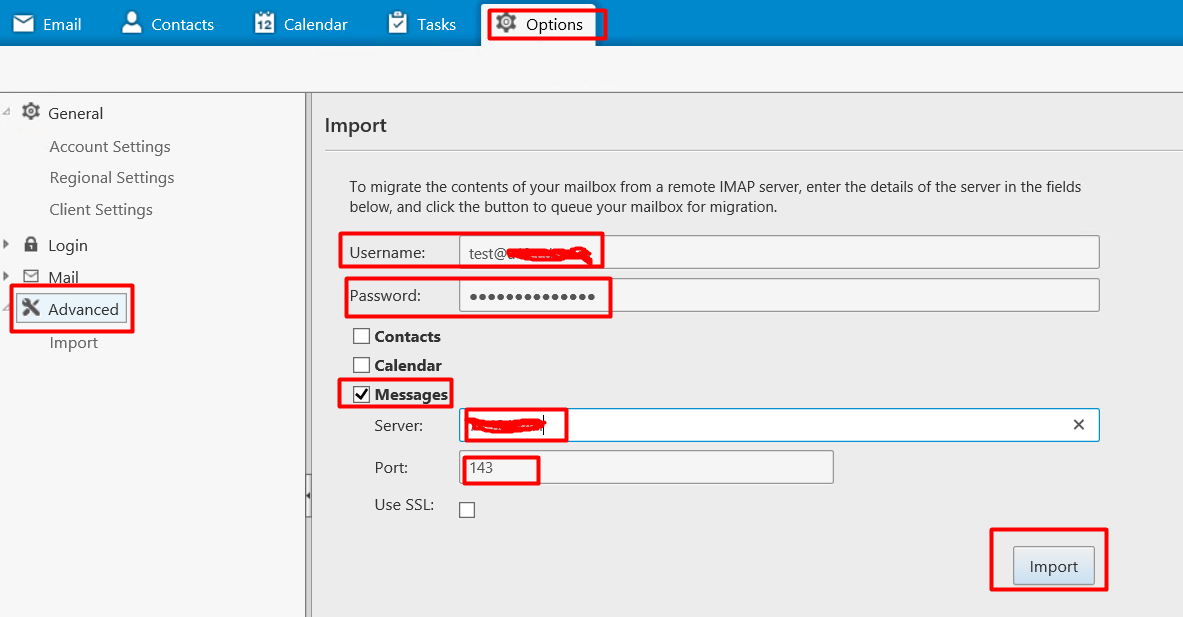
- Username: The email account that will be migrated.
- Password: The password of the email account on the remote mail server.
- Server: The remote source mail server. It can be a server name like mail.domain.com or an IP addree.
- Port: IMAP port on the remote mail server. Usually, it is 143.
If SSL is used for IMAP on the remote mail server, please check the Use SSL option and type port number as 993.Note: Server, Port and SSL information must be get from the remote server provider.
3. Please wait while importing:
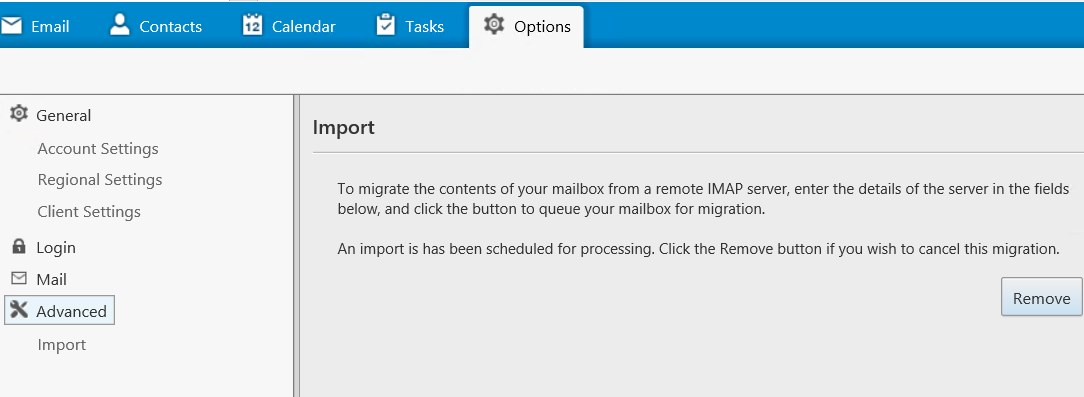
Once migration is complete, you can get result by checking changes of disk usage or previous mails in the Inbox.
After Migration
- Verify Emails: Log in to MailEnable Webmail to check all emails.
- Update DNS Records: Point your domain’s MX records to MailEnable to receive new emails.
- Notify Users: Inform all users of their new MailEnable settings.
Important Notes
- Passwords: For security, passwords cannot be migrated. Users must reset their passwords in MailEnable.
- Attachments: Ensure email attachments are migrated correctly.
- Migration Tool: Simplifies large migrations but requires basic technical knowledge.
If you encounter any issues during MailEnable email migration, feel free to contact our support team for assistance.
MailEnable migration, migrate email, import email, move email to MailEnable, IMAP migration