How to Enable SQL Server Extension in PHP 7.X
Why Do You Need the SQL Server Driver for PHP?
By default, PHP cannot connect to SQL Server. To enable this, you must install the drivers for PHP for SQL Server. These drivers, provided by Microsoft, allow PHP to use functions like sqlsrv_connect() to talk to SQL Server.
Some common keywords you’ll see when searching include:
php_sqlsrv dll downloaddownload php driver for sql serverdownload php sql server driverdriver sql server phpmicrosoft drivers 3.2 for php for sql server
Step-by-Step Guide for Enabling SQL Server Extension
1. Download the Microsoft Drivers for PHP for SQL Server
Go to Microsoft’s official page to download PHP SQL Server driver:
👉 Download Microsoft Drivers for PHP for SQL Server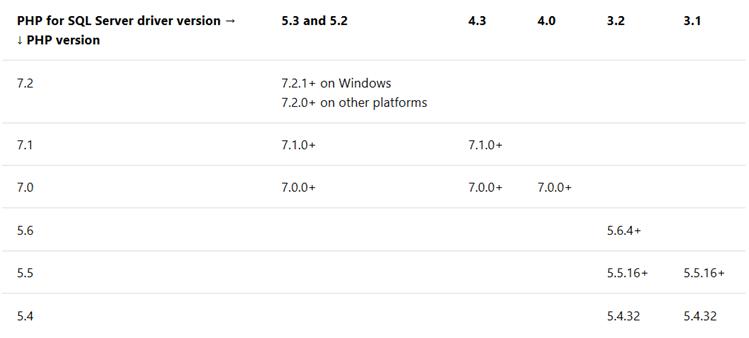
- For PHP 7.0.0+ (including PHP 7.0.30), use Driver 4.0 or higher.
- Example: SQLSRV43.EXE contains the required
.dllfiles.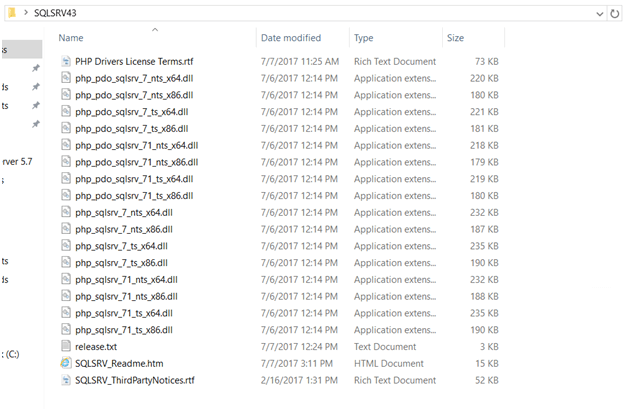
Which DLL to Choose?
- TS (Thread Safe) → Use if PHP runs under IIS in ISAPI mode.
- NTS (Non-Thread Safe) → Recommended if PHP runs under FastCGI (better performance).
- x86 vs x64 → Match the architecture of your PHP installation (32-bit or 64-bit).
2. Copy DLL Files to the PHP Extension Directory
After extracting the download, copy the correct DLL files into your PHP ext directory. Example files include:
php_sqlsrv_7_nts_x86.dllphp_pdo_sqlsrv_7_nts_x86.dll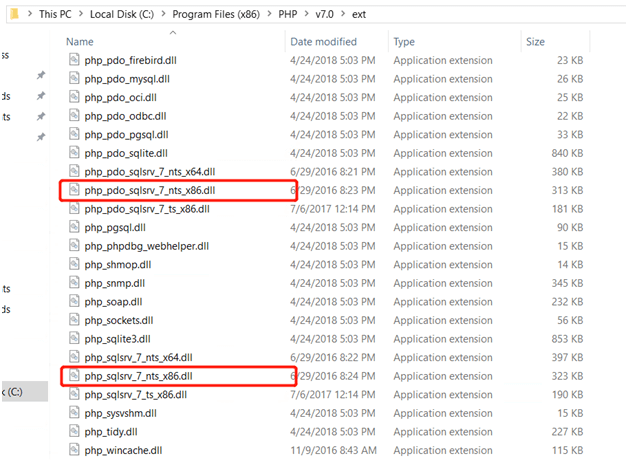
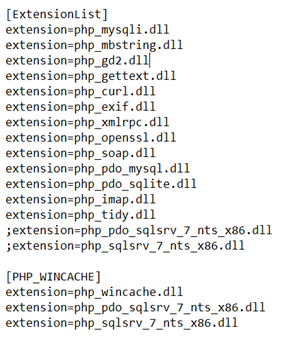
3. Edit php.ini to Enable the Extensions
Open your php.ini file and add these lines:
extension=php_sqlsrv_7_nts_x86.dll
extension=php_pdo_sqlsrv_7_nts_x86.dll
Restart your web server (Apache or IIS) after saving.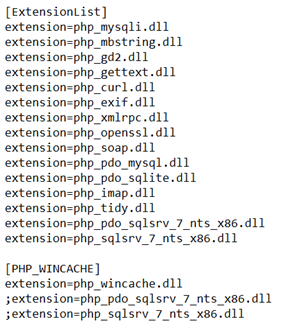
4. Install Microsoft ODBC Driver for SQL Server
The PHP drivers require the ODBC driver to communicate with SQL Server. Install the correct version depending on your SQL Server:
Microsoft ODBC Driver 11 for SQL Server (SQL Server 2005)
Microsoft ODBC Driver 13 for SQL Server(SQL Server 2016)
5. Verify the SQLSRV Extension is Enabled
5.1 Check with phpinfo()
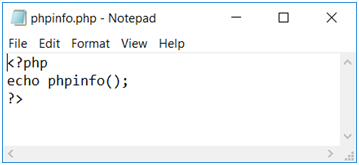
Create a file phpinfo.php in your web root:
<?php
phpinfo();
?>
Visit http://your-server/phpinfo.php and search for sqlsrv and pdo_sqlsrv sections.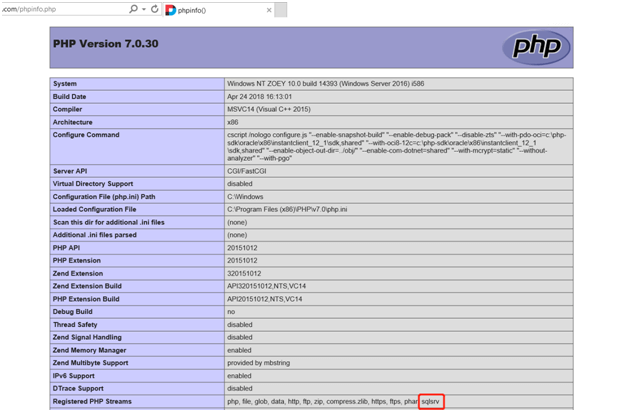
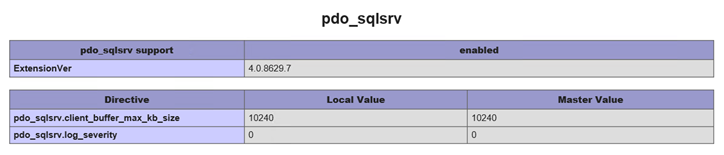
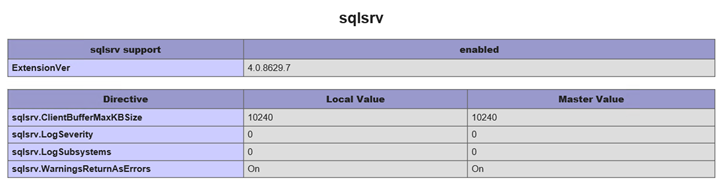
5.2 Test the SQL Server Connection
Create a file test.php in your web root:
<?php
$serverName = "127.0.0.1"; // or "server\instance"
$connectionInfo = [
    "Database"=>"your_database",
    "UID"=>"your_username",
    "PWD"=>"your_password"
];
$conn = sqlsrv_connect($serverName, $connectionInfo);

if ($conn) {
    echo "✅ Connection established.";
} else {
    echo "❌ Connection could not be established.<br />";
    die(print_r(sqlsrv_errors(), true));
}
?>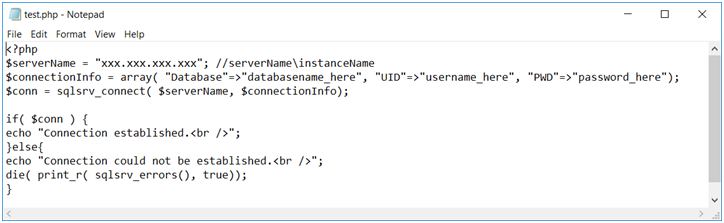
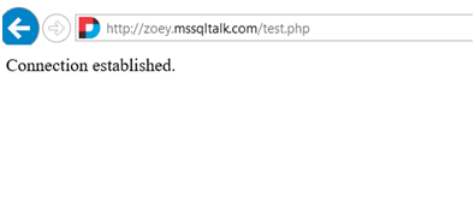
Visit http://your-server/test.php. If it shows Connection established, the setup is complete.